Unit 1: Core PHP Programming.
Core PHP Programming.
- 1.1 Introduction to PHP
- 1.1.1 Understanding the role of PHP in server-side web development
- 1.1.2 History and evolution of PHP
- 1.1.3 Installation and configuration using XAMPP/WAMP
- 1.1.4 Setting up the development environment using Visual Studio Code
- 1.2 Basic PHP Syntax and Variables
- 1.2.1 PHP script structure and tags
- 1.2.2 Declaring and using variables and constants
- 1.2.3 Using echo and print statements
- 1.2.4 Comments and formatting conventions
Page 19 of 24 - 1.3 Data Types and Operators
- 1.3.1 Primitive types: string, int, float, boolean
- 1.3.2 Arrays and objects
- 1.3.3 Type casting and type juggling
- 1.3.4 Operators: arithmetic, logical, comparison, assignment
- 1.4 Control Structures and Arrays
- 1.4.1 Conditional statements: if, else, elseif, switch
- 1.4.2 Looping constructs: for, while, do-while, foreach
- 1.4.3 Arrays: indexed, associative, multidimensional
- 1.4.4 Array operations: sort(), asort(), ksort(), array_merge()
- 1.5 Functions and Form Handling
- 1.5.1 Creating and invoking user-defined functions
- 1.5.2 Function parameters and return values
- 1.5.3 Variable scope: global vs. local
- 1.5.4 Handling forms with $_GET and $_POST
- 1.5.5 Basic input validation and sanitization
NOTES
1.1 Introduction to PHP
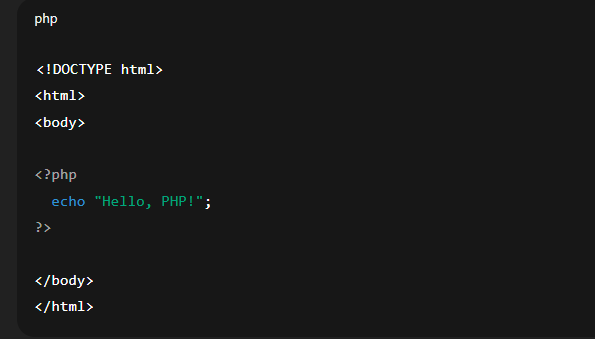
PHP (Hypertext Preprocessor) is a popular server-side scripting language used for developing dynamic and interactive web applications. It is embedded within HTML and works with databases like MySQL, making it powerful for web-based applications such as login systems, contact forms, and e-commerce platforms.
1.1.1 Understanding the Role of PHP in Server-Side Web Development
PHP runs on the server, meaning it processes requests before sending the final output (usually HTML) to the user’s browser. It can:
Handle form submissions
Connect to databases
Manage sessions
Generate dynamic web pages
When a user visits a webpage, the server runs the PHP code and sends only the output (not the code) to the client, ensuring both security and efficiency.
1.1.2 History and Evolution of PHP
1994: PHP was created by Rasmus Lerdorf to manage his personal website.
PHP 1.0 (1995): Released as “Personal Home Page Tools”.
PHP 3.0 (1998): Introduced as a full scripting language.
PHP 4.0 (2000): Added support for better performance with the Zend Engine.
PHP 5.0 (2004): Introduced OOP (Object-Oriented Programming).
PHP 7.x (2015 onwards): Improved speed and performance significantly.
PHP 8.x (2020 onwards): Added features like JIT (Just-In-Time) compiler and new syntax improvements.
Today, PHP powers many major websites and is continuously updated to meet modern web development needs.
1.1.3 Installation and Configuration using XAMPP/WAMP
XAMPP and WAMP are software packages that provide a ready-to-use local web server environment.
✅ XAMPP includes:
Apache (server)
MySQL/MariaDB (database)
PHP (scripting)
Perl (optional)
✅ WAMP includes:
Windows-based Apache server
MySQL
PHP
Steps to Install:
Download XAMPP or WAMP from their official websites.
Run the installer and follow the setup wizard.
Start Apache and MySQL services from the control panel.
Place your
.phpfiles inside thehtdocsfolder (for XAMPP) orwww(for WAMP).Access the file via browser using
http://localhost/yourfilename.php.
1.1.4 Setting Up the Development Environment using Visual Studio Code
Visual Studio Code (VS Code) is a popular and lightweight code editor used for PHP development.
Steps to Set Up PHP in VS Code:
Install VS Code from its official website.
Install PHP on your system and add it to the system path.
Open VS Code and install the PHP extensions, such as:
PHP Intelephense
PHP Debug
Open your project folder or create a new
.phpfile.Write PHP code and run it using:
A browser with XAMPP/WAMP
Or using the Live Server extension (for HTML+PHP hybrid)
| Topic | Key Points |
|---|---|
| PHP Role | Server-side scripting, dynamic page creation |
| History | Developed in 1994, evolved to PHP 8+ |
| Installation | Use XAMPP/WAMP for local development |
| VS Code | Modern code editor with PHP extension support |
1.2.1 PHP Script Structure and Tags
Explanation:
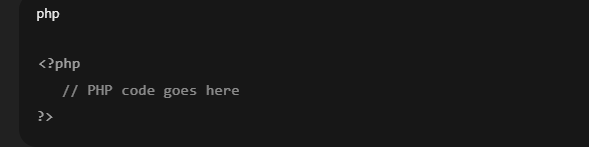
PHP code is embedded in HTML using special tags that tell the server to process the code. The basic structure uses:
<?phpstarts the PHP code block.?>ends the PHP code block.PHP files usually have the
.phpextension.PHP code is executed on the server before the page is sent to the browser.
Example:
1.2.2 Declaring and Using Variables and Constants
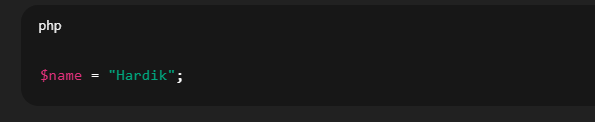
Variables:
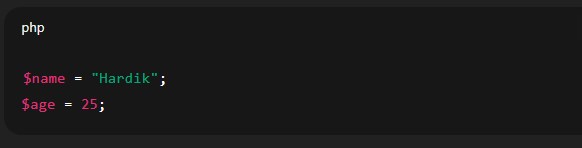
Start with a dollar sign
$(e.g.,$name)Case-sensitive (
$nameis different from$Name)Do not need to declare data type explicitly
Example:
Constants:
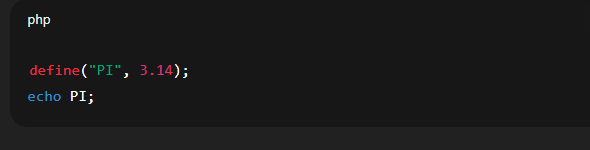
Use
define()functionOnce set, cannot be changed during execution
Written in uppercase by convention
Example:
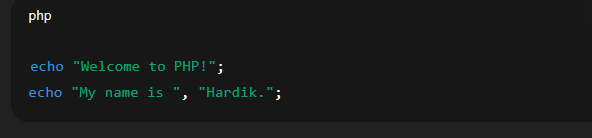
1.2.3 Using echo and print Statements
echo:
Outputs one or more strings
Faster and can output multiple values
print:
Outputs a single string
Slightly slower but returns a value (1)
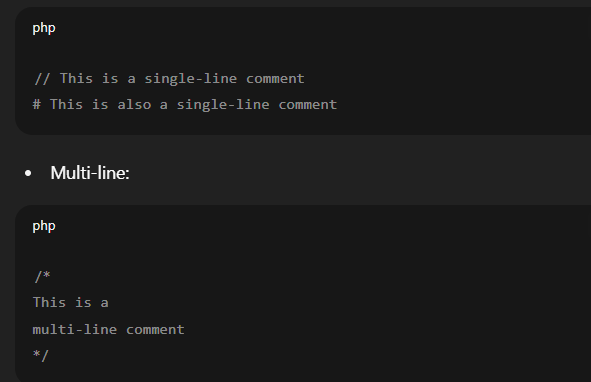
1.2.4 Comments and Formatting Conventions
Comments:
Used to add explanations or disable code without deleting it.
Single-line:
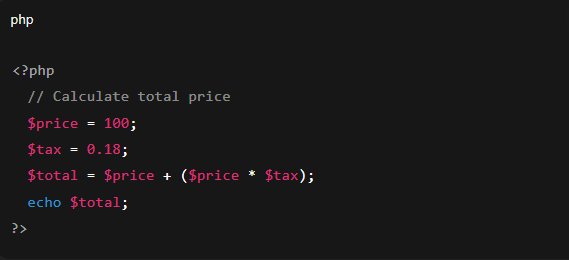
Formatting Conventions:
Use indentation for clarity.
Use meaningful variable names.
Maintain consistent spacing and line breaks.
Example:
1.3.1 Primitive Types: string, int, float, boolean
PHP supports several basic (primitive) data types:
String
A sequence of characters enclosed in quotes (single or double).
Integer (int)
A whole number without a decimal point.
Float (or Double)
A number with a decimal point.
Boolean
Represents two possible values: true or false.
These types are automatically assigned when values are stored in variables (dynamic typing).
1.3.2 Arrays and Objects
Array
A collection of multiple values stored in a single variable.
Types of arrays:
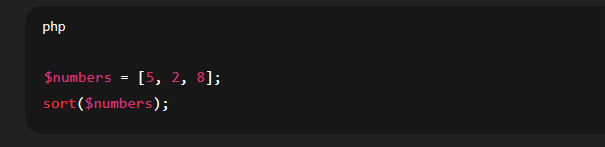
Indexed Arrays (numeric keys):
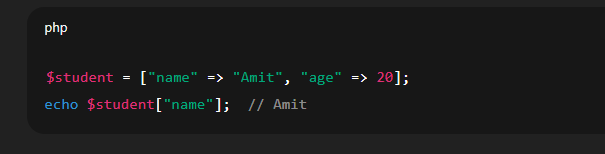
Associative Arrays (named keys):
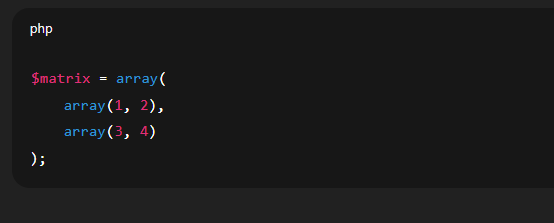
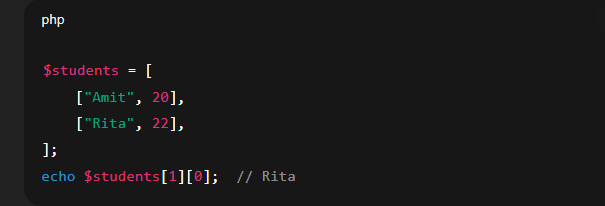
Multidimensional Arrays (array of arrays):
Object
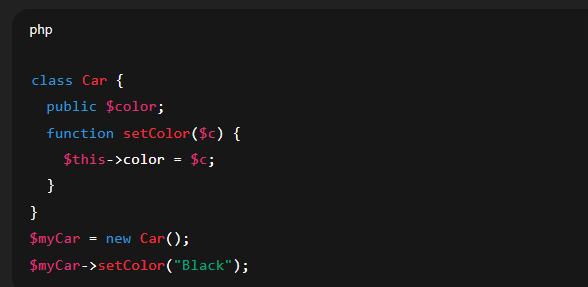
An object is an instance of a class. Used in Object-Oriented Programming.
1.3.3 Type Casting and Type Juggling
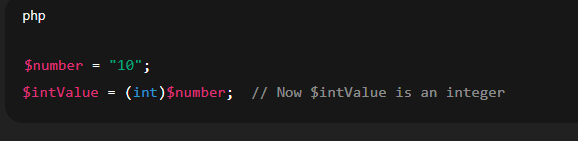
Type Casting
Manually changing one data type into another.
Type Juggling
PHP automatically converts data types based on context.
This feature makes PHP flexible, but it can also lead to unexpected results if not handled carefully.
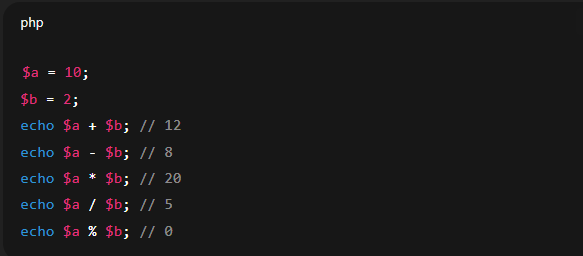
1.3.4 Operators: Arithmetic, Logical, Comparison, Assignment
Arithmetic Operators
Used for mathematical operations
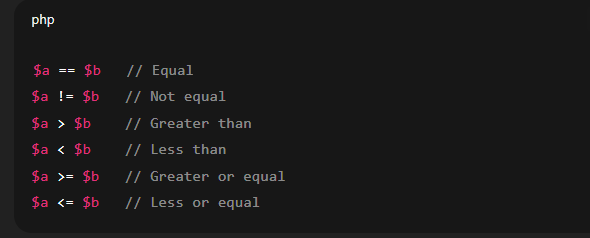
Comparison Operators
Used to compare values:
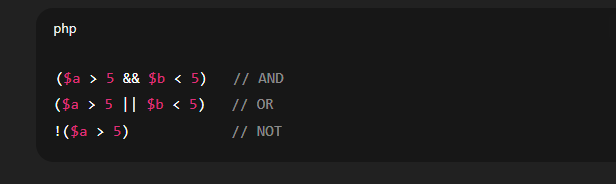
Logical Operators
Used to combine conditional statements:
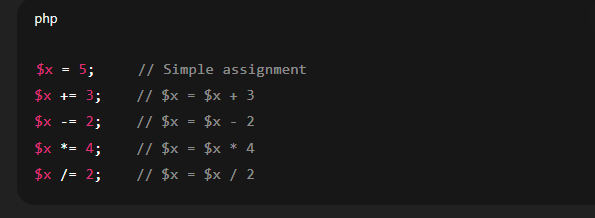
Assignment Operators
Used to assign values:
1.4 Control Structures and Arrays
1.4.1 Conditional Statements
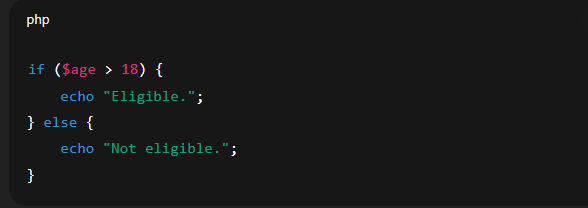
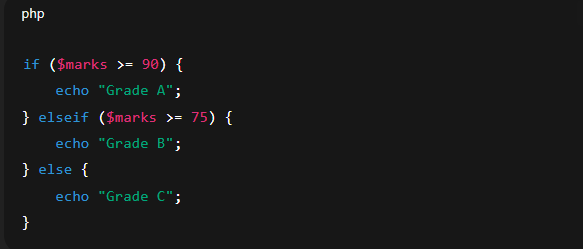
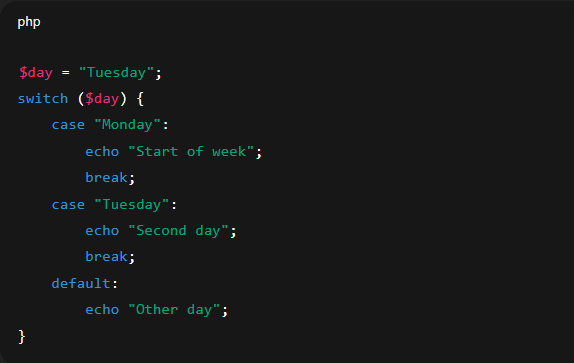
PHP allows you to execute specific blocks of code based on certain conditions using conditional statements:
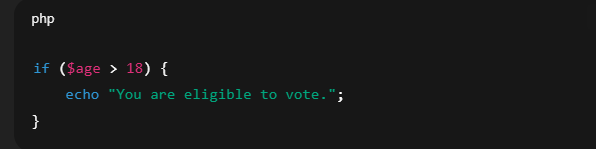
➤ if Statement
Executes a block if the given condition is true.
➤ else Statement
Used when the condition is false; it executes an alternative block.
➤ elseif Statement
Checks multiple conditions in a sequence.
➤ switch Statement
Used to compare one variable with different cases. It’s more readable for checking many conditions on a single value.
1.4.2 Looping Constructs
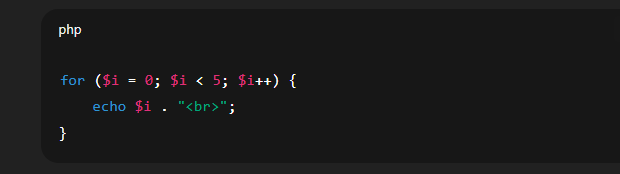
Loops are used to run a block of code multiple times:
➤ for Loop
Used when the number of iterations is known.
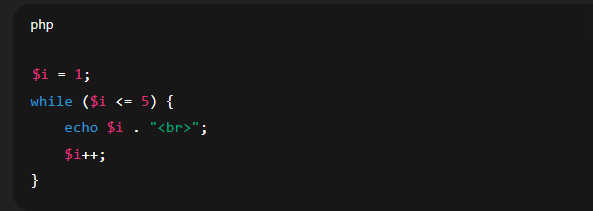
➤ while Loop
Runs a block while a condition is true.
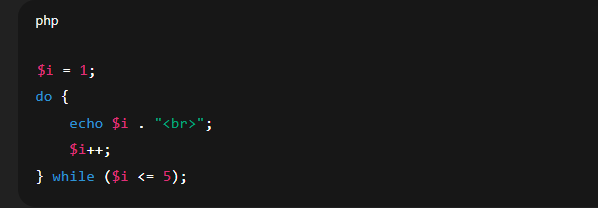
➤ do-while Loop
Runs the block at least once before checking the condition.
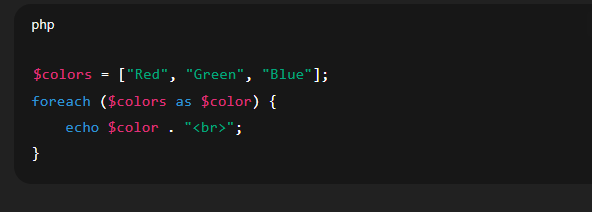
➤ foreach Loop
Specially designed to loop through arrays.
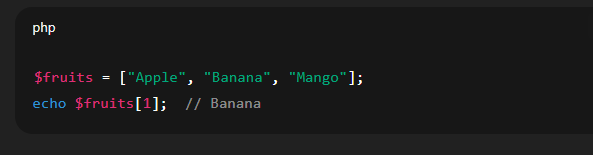
1.4.3 Arrays
Arrays store multiple values in a single variable.
➤ Indexed Arrays
Elements are stored with numeric indexes starting from 0.
➤ Associative Arrays
Each element is associated with a key-value pair.
➤ Multidimensional Arrays
Arrays containing one or more arrays.
1.4.4 Array Operations
PHP provides several built-in functions to manipulate arrays:
➤ sort()
Sorts indexed arrays in ascending order.
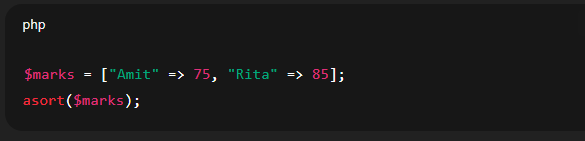
➤ asort()
Sorts associative arrays in ascending order, maintaining key association.
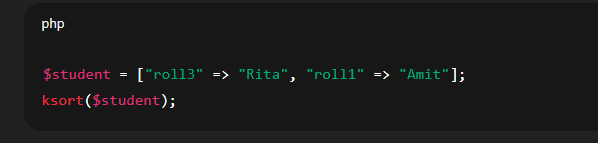
➤ ksort()
Sorts associative arrays by key.
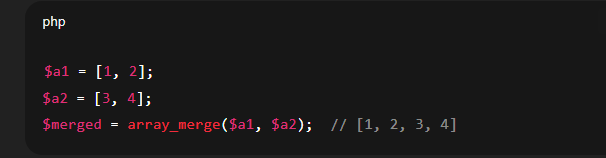
➤ array_merge()
Combines two or more arrays.
1.5 Functions and Form Handling
1.5.1 Creating and Invoking User-defined Functions
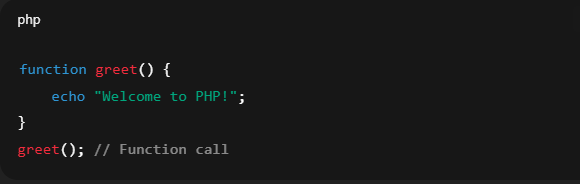
In PHP, a function is a block of reusable code that performs a specific task. You can create your own functions using the function keyword.
Syntax:
Explanation:
The
greet()function is user-defined.functionis a keyword to declare it.The function is called using its name followed by parentheses
greet();.
1.5.2 Function Parameters and Return Values
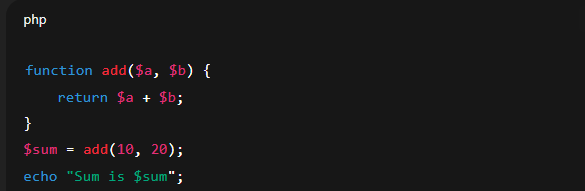
Functions can accept input values (parameters) and return results using the return keyword.
Example:
Explanation:
$aand$bare parameters.returnsends the result back.add(10, 20)passes arguments during the call.
1.5.3 Variable Scope: Global vs. Local
Local variables are declared inside functions and can’t be accessed outside.
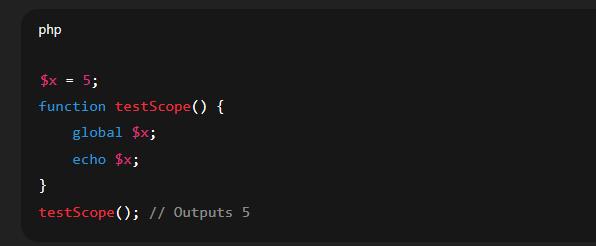
Global variables are declared outside functions and can be accessed inside functions using the global keyword.
Example:
Explanation:
$xis a global variable.It’s accessed inside the function using
global $x.
1.5.4 Handling Forms with $_GET and $_POST
Forms collect data from users. PHP retrieves submitted form data using predefined arrays: $_GET or $_POST.
$_GET: Used for URL query strings (visible in address bar).$_POST: Sends data securely (not visible in URL).
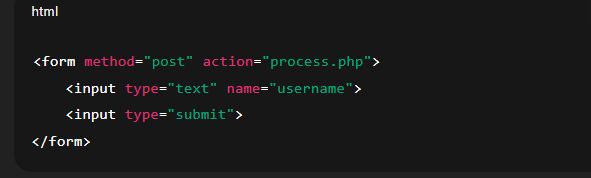
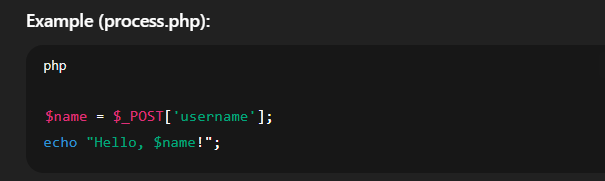
Example (HTML Form):
Explanation:
The form submits data using POST method.
PHP fetches it via
$_POST['username'].
1.5.5 Basic Input Validation and Sanitization
Before using form data, validate and sanitize it to prevent errors and security risks like XSS or SQL Injection.
Validation checks if the input meets certain rules.
Sanitization cleans the input by removing harmful code.
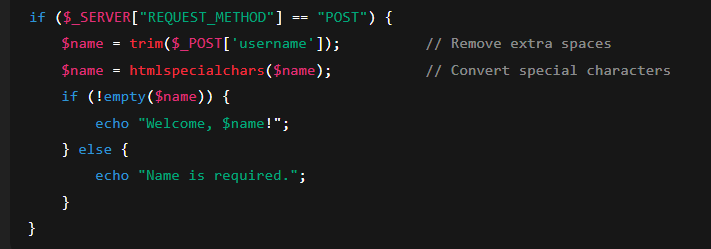
Example:
Explanation:
trim()removes unnecessary whitespace.htmlspecialchars()prevents HTML/script injection.empty()checks if the input is blank
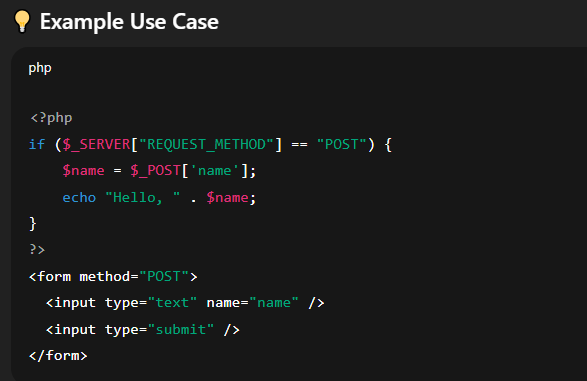
if ($_SERVER[“REQUEST_METHOD”] == “POST”)
🧠 Explanation
This line checks how the current page was requested—whether through a POST request or not.
✅ What is $_SERVER["REQUEST_METHOD"]?
It is a superglobal variable in PHP.
It returns the request method used to access the page.
Common values:
"GET"– when data is sent via URL (e.g., using a link or a simple form submission)."POST"– when form data is sent securely and not visible in the URL.
🔍 Purpose of the if condition
This block executes the code inside it only when the form is submitted using the POST method.
When the user types a name and submits the form, the page is accessed via POST.
Only then will the PHP code inside the
ifblock run and display the greeting
📌 Why It’s Important
Ensures that processing code only runs when form is submitted.
Prevents accidental execution when the page is simply opened in a browser.
| Concept | Purpose |
|---|---|
function |
Declares a reusable code block |
return |
Sends a value from a function |
global |
Accesses global variables inside functions |
$_GET, $_POST |
Retrieves form data |
htmlspecialchars() |
Prevents script injection |
trim() |
Removes unwanted spaces |