In programming, loops are used to execute a block of code repeatedly until a certain condition is met. Instead of writing the same code multiple times, loops help in repetition, automation, and reducing redundancy.
Kotlin, being a modern programming language, provides several types of loops similar to other languages like Java, C, or Python. The most commonly used loops in Kotlin are:
for loop
while loop
do-while loop
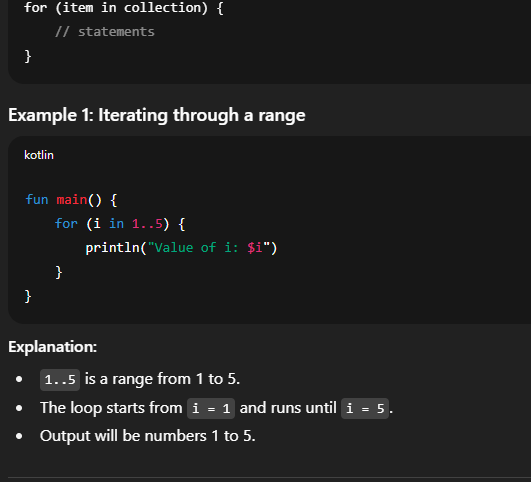
1. for Loop
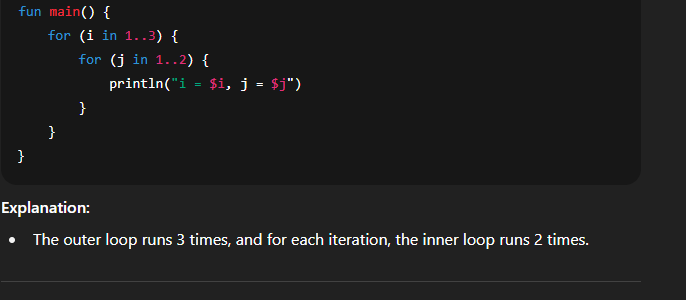
The for loop is mainly used to iterate over ranges, arrays, collections, or anything that provides an iterator. Kotlin’s for loop is different from traditional C-style loops, as it does not use initialization, condition, and increment parts in parentheses. Instead, it is more readable and follows the structure:
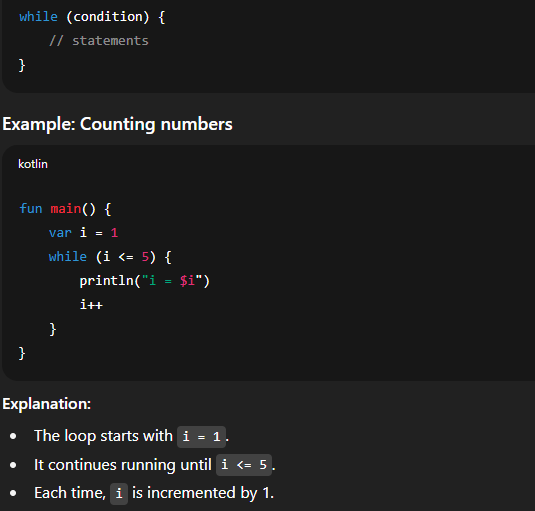
2. while Loop
The while loop executes a block of code as long as a given condition is true. It checks the condition first, then executes the loop.
Syntax:
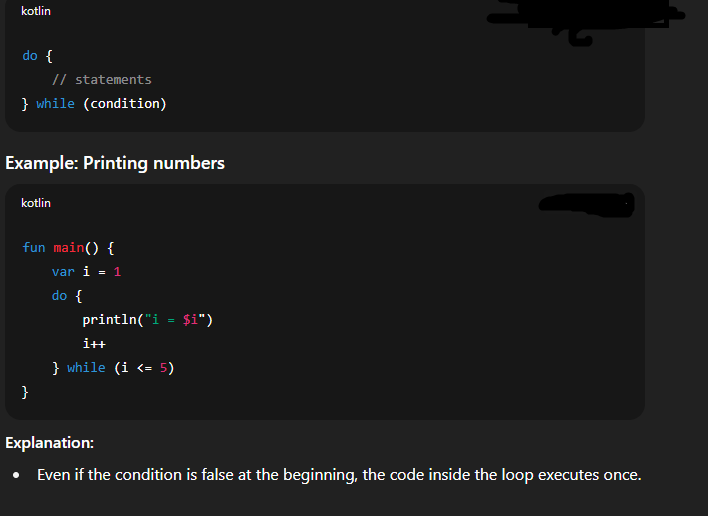
3. do-while Loop
The do-while loop is similar to the while loop, but the main difference is:
In while, the condition is checked before execution.
In do-while, the condition is checked after execution, meaning the block of code will execute at least once.
Syntax:
4. break and continue in Kotlin Loops
Kotlin also provides control statements like break and continue to manage loop execution.
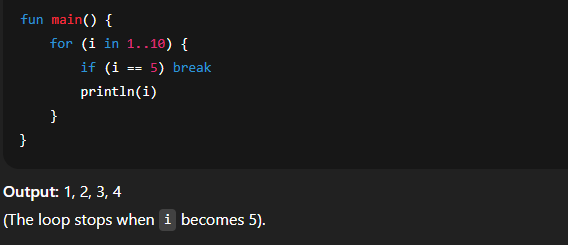
break
Used to terminate the loop immediately.
Example:
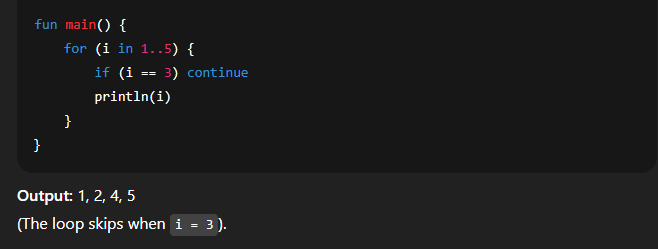
continue
Used to skip the current iteration and move to the next one.