LIST IN PYTHON

NOTES

Introduction to List in Python (Expanded Theory)

In Python, a list is one of the most important and commonly used built-in data structures. A list is used to store multiple values in a single variable, instead of creating separate variables for each value.

A list helps in organizing data efficiently and makes programs shorter, clearer, and easier to manage. Lists are especially useful when dealing with large amounts of data such as marks of students, names, prices, records, or collections of values.

Python lists are highly flexible and are used in almost every real-world Python application, from simple beginner programs to advanced data analysis and machine learning projects.

Key Characteristics of Python Lists (Theory in Detail)

(a) Ordered Collection

A list maintains the order of elements as they are inserted. This means every element has a fixed position known as an index.

  • Indexing starts from 0

  • The order remains the same unless changed explicitly

(b) Mutable Nature

Lists are mutable, which means their contents can be modified after creation.

You can:

  • Change elements

  • Add new elements

  • Remove existing elements

This property makes lists different from tuples.

(c) Allows Duplicate Elements

Python lists allow duplicate values.

Example:

(d) Can Store Different Data Types

A single list can store multiple data types such as:

  • Integer

  • Float

  • String

  • Boolean

  • Another list

This makes lists very powerful and flexible.

(e) Dynamic Size

Python lists are dynamic, meaning:

  • Size is not fixed

  • Elements can be added or removed at runtime

  • No need to declare size in advance

Python automatically handles memory management.

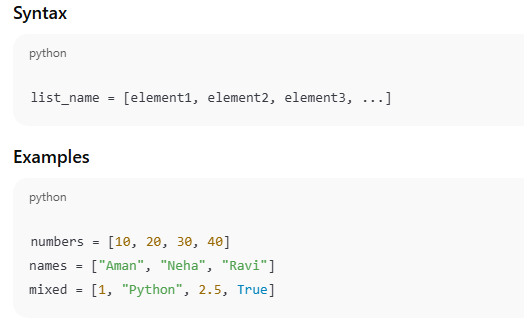
3. Creating a List

Syntax

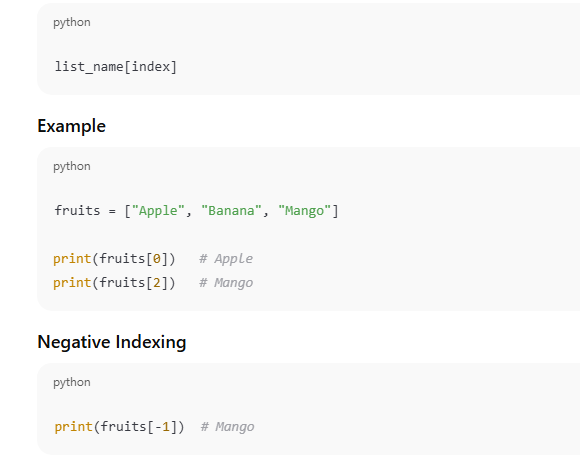
4. Accessing List Elements (Indexing)

Syntax

LIST SLICING IN PYTHON (DETAILED EXPLANATION)

What is List Slicing?

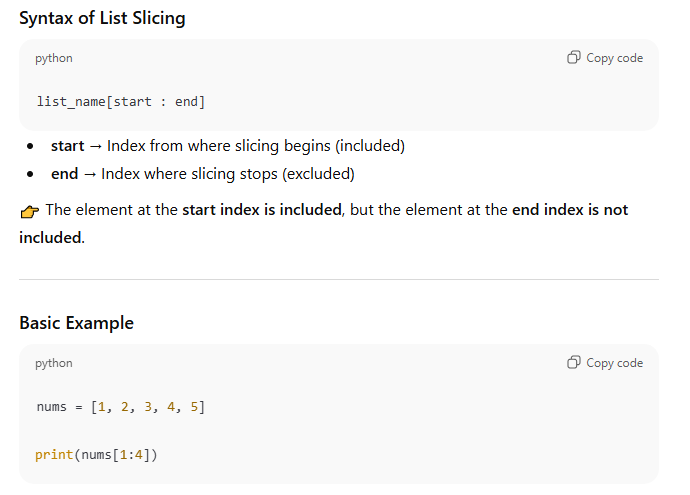
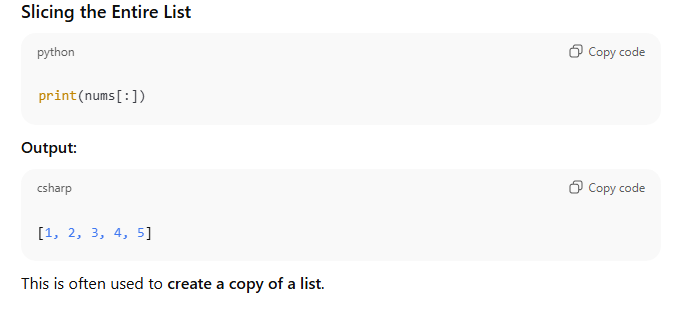
List slicing is a technique in Python used to extract a part (subset) of a list. Instead of accessing a single element using indexing, slicing allows us to access multiple elements at once by specifying a range of index positions.

Slicing does not change the original list. It creates and returns a new list containing the selected elements.

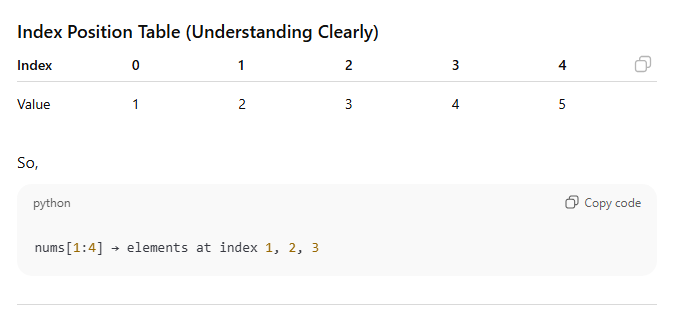
Explanation:

  • Index 1 → element 2 (included)

  • Index 4 → element 5 (excluded)

  • Elements selected → 2, 3, 4

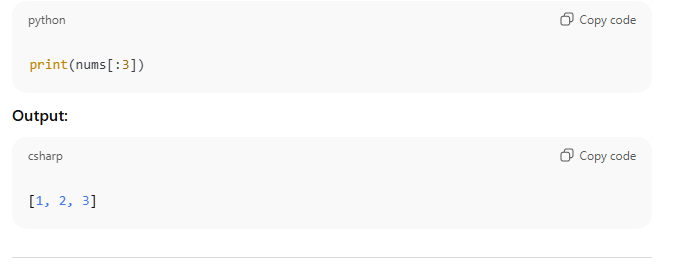
Slicing from the Beginning

If start index is omitted, slicing begins from index 0.

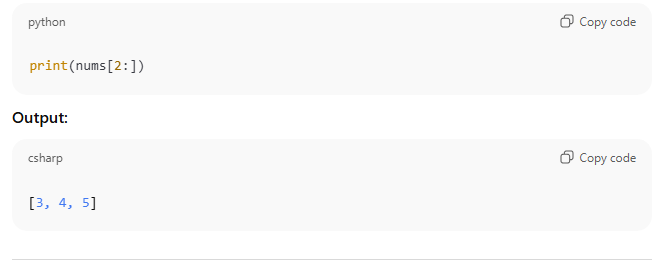
Slicing Till the End

If end index is omitted, slicing continues till the last element.

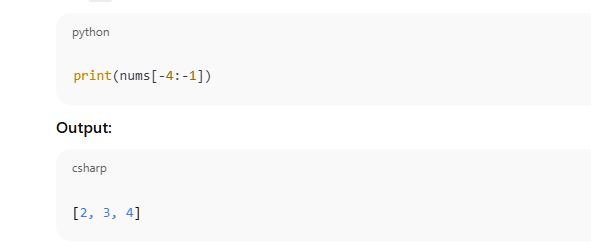
Negative Index Slicing

Python also supports negative indexing, where:

  • -1 refers to the last element

  • -2 refers to the second last element

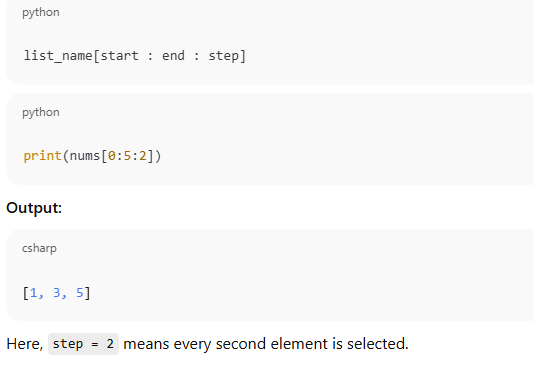
Slicing with Step Value (Advanced but Important)

Syntax:

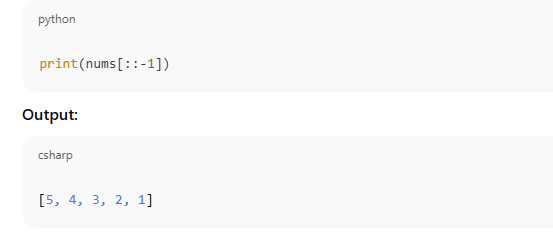
Reverse a List Using Slicing

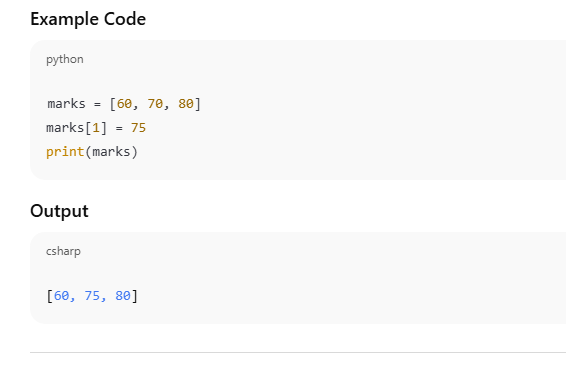
Modifying List Elements (Detailed Explanation)

In Python, a list is mutable, which means the values stored inside a list can be changed after the list has been created. This modification is done by referring to the index position of the element that needs to be updated.

Python follows zero-based indexing, so the first element is at index 0, the second at index 1, and so on.

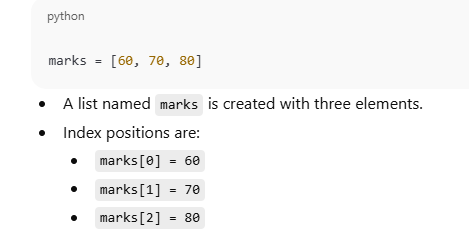
Step-by-Step Explanation

List Creation

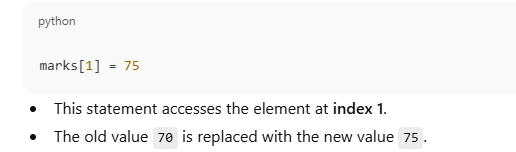
Updating an Element

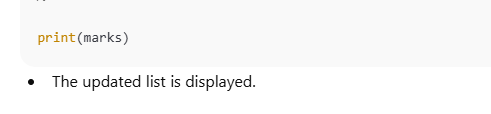
Printing the Updated List

Adding Elements to a List (Brief Explanation)

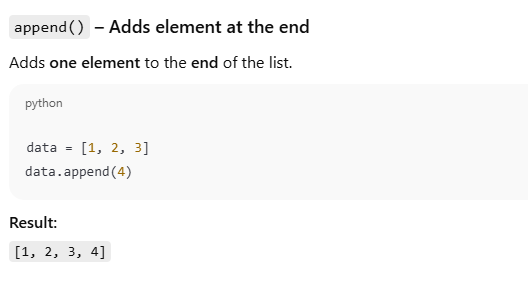
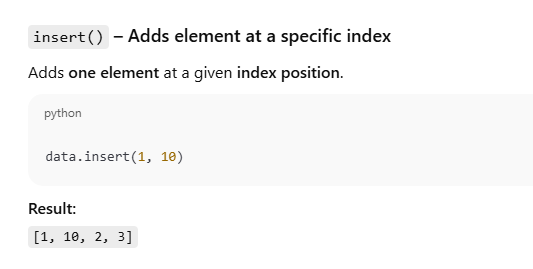
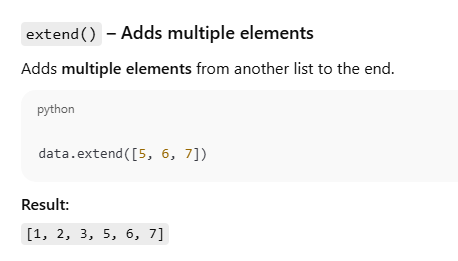
In Python, since lists are mutable, new elements can be added after the list is created. This is done using the methods append(), insert(), and extend().

Key Point 

  • append() → adds one element at the end

  • insert() → adds one element at a specific index

  • extend() → adds multiple elements

8. Removing Elements from a List (Brief Explanation)

In Python, elements can be removed from a list using different methods depending on how the element is identified. The commonly used methods are remove(), pop(), and clear().

remove() – Removes element by value

The remove() method deletes the first occurrence of a specified value from the list.

pop() – Removes element using index

The pop() method removes the element at a specified index position.

clear() – Removes all elements

The clear() method deletes all elements from the list and makes it empty.

Key Exam Points

  • remove() → by value

  • pop() → by index

  • clear() → removes all elements

  • All methods modify the original list

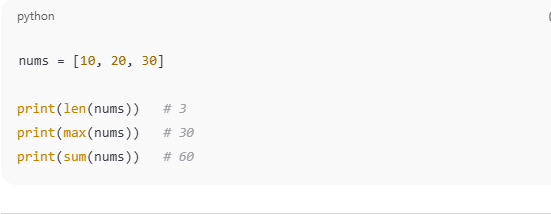
Important List Functions (Brief Explanation)

Python provides several built-in functions to perform common operations on lists quickly and easily.

len() – Number of elements

Returns the total number of elements present in the list.

max() – Maximum value

Returns the largest element from the list.

min() – Minimum value

Returns the smallest element from the list.

sum() – Sum of elements

Returns the sum of all numeric elements in the list.

Key Exam Points

  • These are built-in functions, not methods

  • They do not modify the original list

  • Mostly used with numeric lists

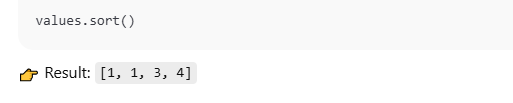
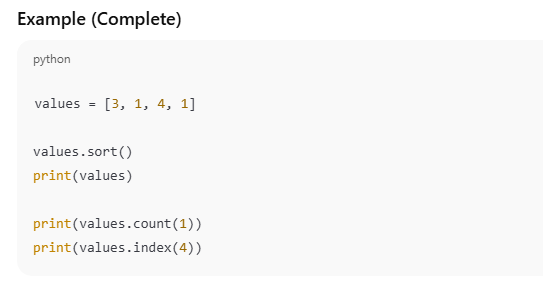
10. Common List Methods (Brief Explanation)

Python provides several list methods to perform operations directly on lists. These methods modify the original list.

sort() – Sort the list

Arranges the elements of the list in ascending order by default.

reverse() – Reverse the list

Reverses the order of elements in the list.

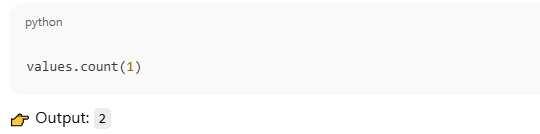
count() – Count occurrences

Returns the number of times a specified value appears in the list.

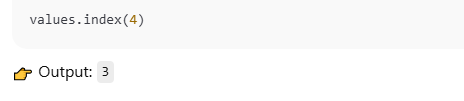
index() – Find index

Returns the index position of the first occurrence of a given value.

Key Exam Points

  • These are list methods, not functions

  • They work only on lists

  • sort() and reverse() modify the list

  • count() and index() return values

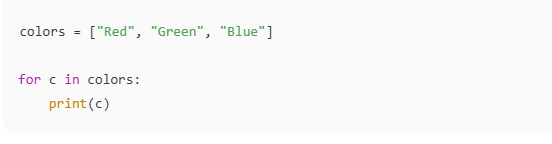
Looping Through a List (Brief Explanation)

Looping through a list means accessing and processing each element one by one. In Python, this is commonly done using a for loop.

Explanation

  • The list colors contains three elements.

  • The for loop takes one element at a time from the list.

  • The variable c stores the current element during each iteration.

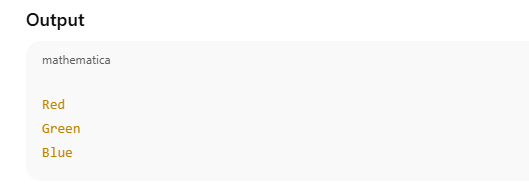
  • print(c) displays each color on a new line.

List Comprehension (Brief but Complete Explanation)

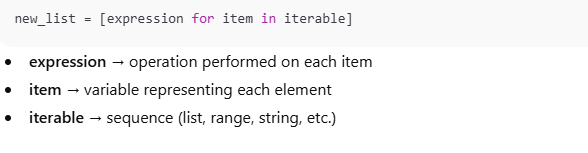
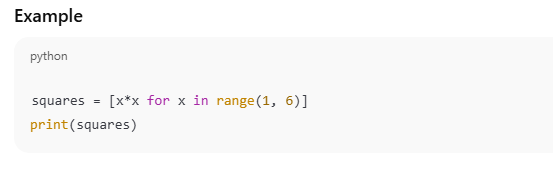
List comprehension is a concise and efficient way to create a new list from an existing sequence (such as a list, range, or string) using a single line of code. It reduces the number of lines and makes the code easier to read.

Syntax

Explanation

  • range(1, 6) generates numbers from 1 to 5.

  • Each value is stored in variable x.

  • The expression x*x calculates the square of each number.

  • All results are stored in a new list squares.

Nested Lists (Brief Explanation)

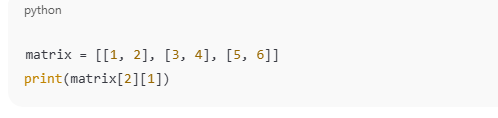
A nested list is a list that contains another list as its element. Nested lists are commonly used to represent tables, matrices, or grouped data.

Explanation

  • matrix is a list containing three inner lists:

    • matrix[0] = [1, 2]

    • matrix[1] = [3, 4]

    • matrix[2] = [5, 6]

  • matrix[2] accesses the third inner list[5, 6]

  • matrix[2][1] accesses the element at index 1 of [5, 6], which is 6

14. List vs Tuple (Brief Difference with Full Detail)

In Python, list and tuple are both used to store multiple values, but they differ mainly in mutability and usage.


List

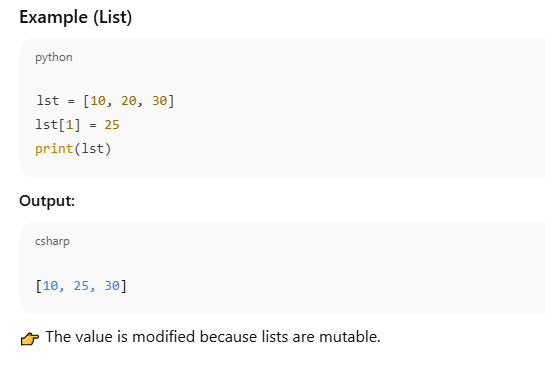
A list is a mutable data structure, which means its elements can be changed after creation. Lists are created using square brackets [ ] and are used when the data needs to be modified.

Example (List)

Tuple

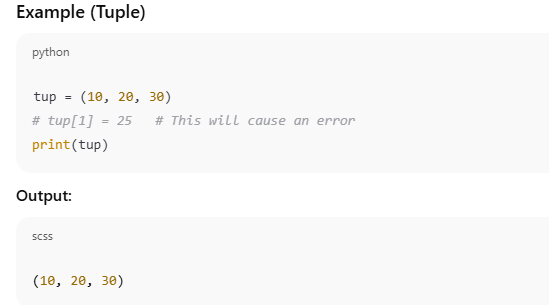
A tuple is an immutable data structure, which means its elements cannot be changed once created. Tuples are created using round brackets ( ) and are used when data should remain fixed.

Example (Tuple)

List Tuple
Mutable Immutable
Uses [ ] Uses ( )
Can be modified Cannot be modified
More flexible More secure
Slower than tuple Faster than list

Conclusion (Detailed Explanation)

A list in Python is one of the most important and widely used data structures because it allows programmers to store multiple values in a single variable in an organized manner. Instead of using many separate variables, a list helps in grouping related data together, which makes programs simpler, cleaner, and easier to manage.

One of the key features of a list is its mutability. This means that the elements of a list can be modified, added, or removed after the list has been created. This property makes lists very flexible and suitable for situations where data changes frequently, such as updating marks, adding new records, or removing old data.

Lists are also ordered, which means each element has a fixed position known as an index. Because of this ordering, elements can be accessed efficiently using indexing and slicing. This is especially useful in looping, searching, and processing data step by step.

Another important advantage of lists is their dynamic size. Python lists do not require a fixed size at the time of creation. Elements can be added or removed during program execution, and Python automatically manages the required memory. This makes lists convenient for handling large or varying amounts of data.

Lists can store different data types such as integers, floats, strings, Boolean values, and even other lists. This ability to hold heterogeneous data makes lists extremely powerful for real-world applications like student records, inventory systems, and data analysis programs.

Due to these features, lists are widely used in data handling, looping operations, problem-solving, and application development. Many advanced Python concepts and libraries are also built on list-based structures.

In conclusion, a strong understanding of lists is essential for learning Python effectively. Lists form the foundation of Python programming, and mastering them is necessary before moving on to advanced topics such as tuples, dictionaries, and data analysis.

Leave a Reply

Your email address will not be published. Required fields are marked *

sign up!

We’ll send you the hottest deals straight to your inbox so you’re always in on the best-kept software secrets.