PYTHON

SOLUTION .....

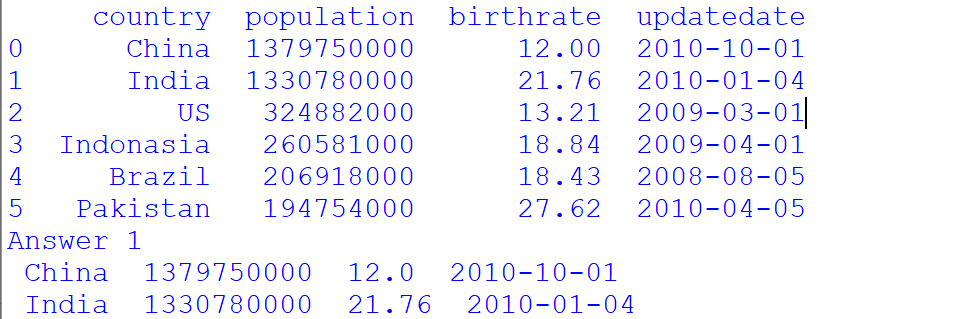
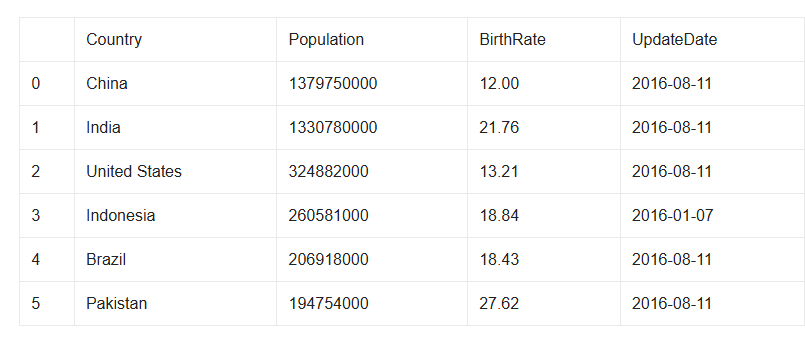
Considering the above dataframe answer the following question by writing appropriatecommand in python pandas:

  1. Display complete data for China and India.
  2. Display Country, Population and BirthRate of Brazil and Pakistan.
  3. Create a CSV File from the above data frame.
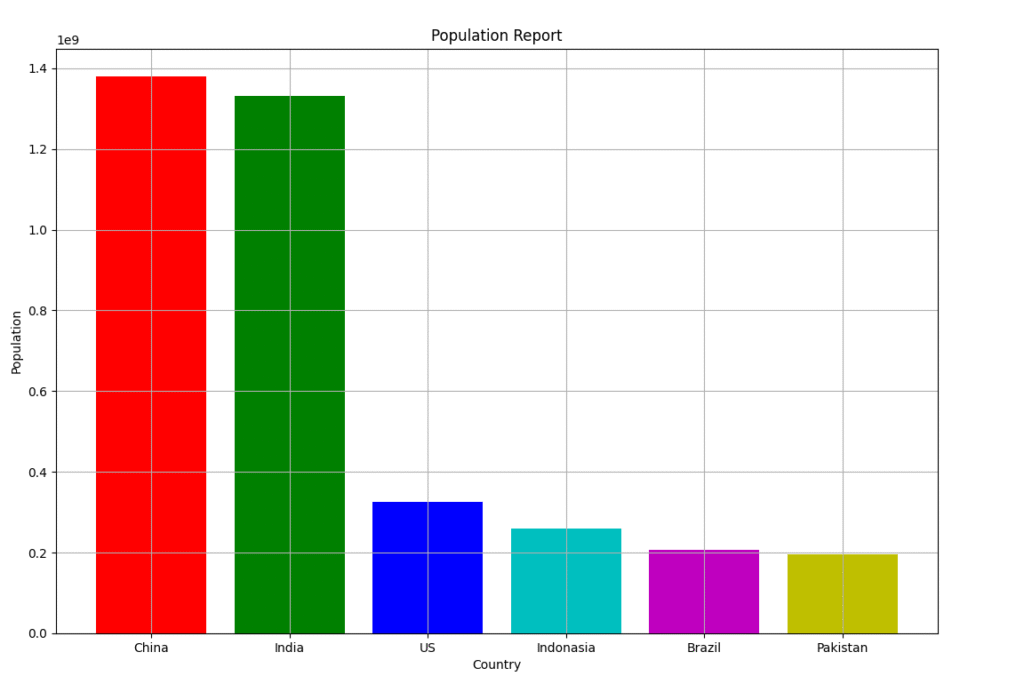
  4. Now plot a bar chart depicting the Country on x-axis and their corresponding Population on y-axis, with appropriate Graph title, x-axis title, y-axis title, gridlines an color etc.
SOLUTION……

import pandas as pd
import matplotlib.pyplot as plt
d={'country':['China','India','US','Indonasia','Brazil','Pakistan'],
   'population':[1379750000,1330780000,324882000,260581000,206918000,194754000],
   'birthrate':[12.00,21.76,13.21,18.84,18.43,27.62],
   'updatedate':['2010-10-01','2010-01-04','2009-03-01','2009-04-01','2008-08-05','2010-04-05']
   }
country=pd.DataFrame(d)
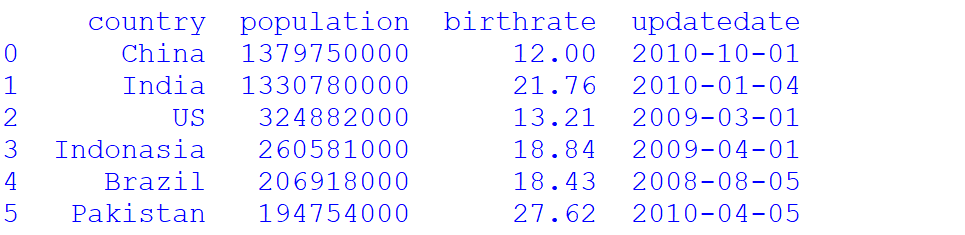
print(country)
#Answer 1
print("Answer 1")
print(country[country['country']=='China'].to_string(header=False,index=False))
print(country[country['country']=='India'].to_string(header=False,index=False))
#Answer 2
print("Answer 2")
c=country.loc[:,['country','population','birthrate']]
print(c[c['country']=='Brazil'].to_string(header=False,index=False))
print(c[c['country']=='Pakistan'].to_string(header=False,index=False))
#Answer 3
plt.bar(country['country'],country['population'],color=['r','g','b','c','m','y','k'])
plt.title("Population Report")
plt.xlabel("Country")
plt.ylabel("Population")
plt.grid()
plt.show()

country.to_csv('country.csv')

OUTPUT

One Response

Leave a Reply

Your email address will not be published. Required fields are marked *

sign up!

We’ll send you the hottest deals straight to your inbox so you’re always in on the best-kept software secrets.