
Getting Started with Excel

Introduction to Microsoft Excel
Microsoft Excel is one of the most widely used spreadsheet applications, developed by Microsoft, and is a part of the Microsoft Office suite.
It helps users manage, analyze, and visualize data efficiently.
Excel provides features such as formulas, functions, charts, pivot tables, and data validation, making it an essential tool for businesses, students, and professionals.
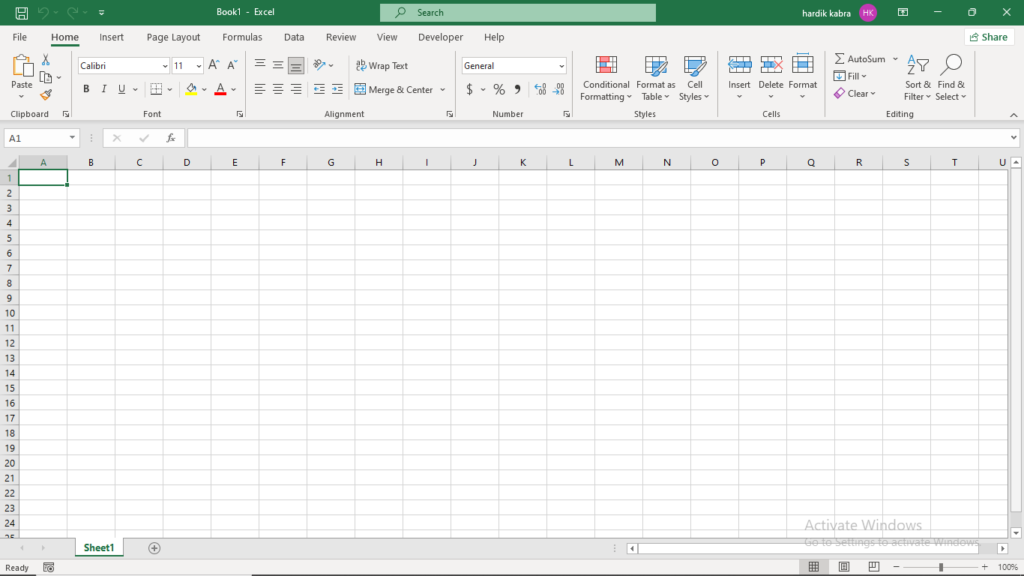
What is Microsoft Excel?
Microsoft Excel is a software application that allows users to create spreadsheets, perform calculations, and analyze data systematically. It organizes information into rows and columns, making data management easier. Excel is commonly used for:
Data Entry and Storage: Keeping records in an organized way.
Mathematical and Statistical Analysis: Using formulas and functions to perform calculations.
Data Visualization: Creating charts and graphs to represent data.
Financial Modeling: Managing budgets, payroll, and expenses.
Automation: Using macros to automate repetitive tasks.
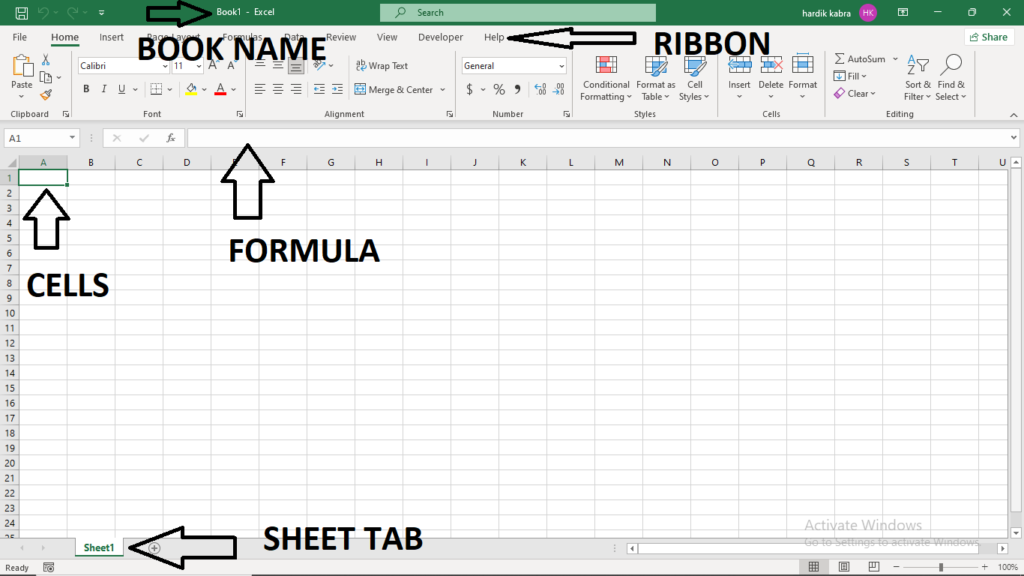
What is a Worksheet in Excel?
A worksheet, also known as a spreadsheet, is a single page within an Excel workbook. It consists of multiple rows and columns, where users enter and manipulate data. A workbook can contain multiple worksheets, allowing users to organize different sets of data efficiently.
Each worksheet has:
Rows (Horizontally arranged cells)
Columns (Vertically arranged cells)
Cells (The intersection of a row and a column)
What is a Workbook?
A workbook is an Excel file that contains one or more worksheets. When a new Excel file is opened, it starts with a default workbook that consists of a single worksheet, but users can add or delete worksheets as needed.
Workbooks allow users to:
Store multiple related datasets in a single file.
Perform calculations across different worksheets.
Organize data systematically in separate sheets.
What are Rows in Excel?
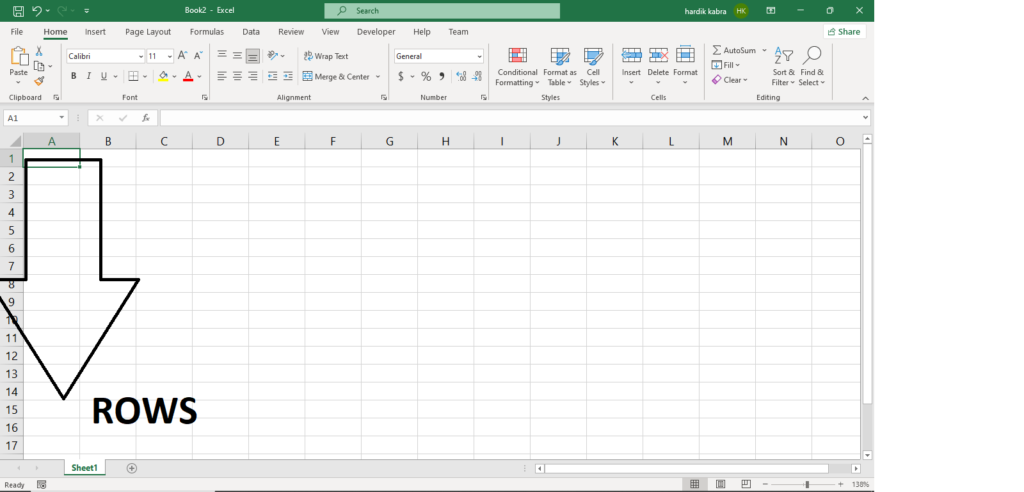
Rows in Excel are horizontal collections of cells within a worksheet. They are labeled numerically, starting from 1 at the top and increasing downwards.
The total number of rows in an Excel worksheet depends on the version. For example, Microsoft Excel 2016 and later versions support 1,048,576 rows.
Rows help in arranging data, and users can insert or delete rows as needed.
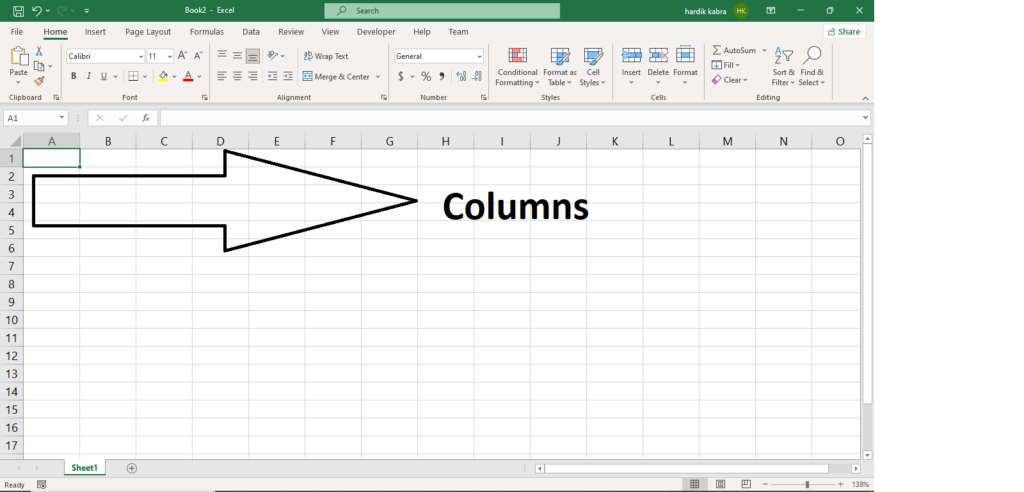
What are Columns in Excel?
Columns in Excel are vertical collections of cells within a worksheet. They are labeled alphabetically from A to Z, and after column Z, labeling continues as AA, AB, AC, and so on.
Excel supports 16,384 columns, ranging from A to XFD.
Columns are useful for categorizing and organizing data.
What is a Cell in Excel?
A cell is the smallest unit in an Excel worksheet, formed at the intersection of a row and a column. It is where users enter data, such as numbers, text, dates, or formulas.
A cell can hold text, numbers, formulas, or functions.
Cells can be formatted (bold, italic, colored, or resized).
Users can merge multiple cells to create larger sections for headers or labels.
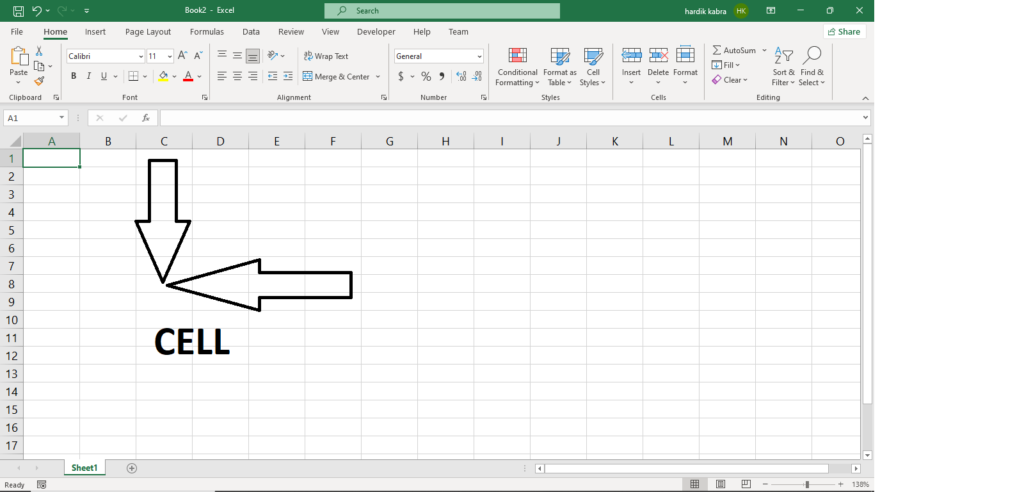
What is a Cell Address in Excel?
A cell address (or cell reference) is a unique identifier for each cell in Excel. It is represented by the column letter followed by the row number (e.g., A1, B3, C5).
Types of Cell References:
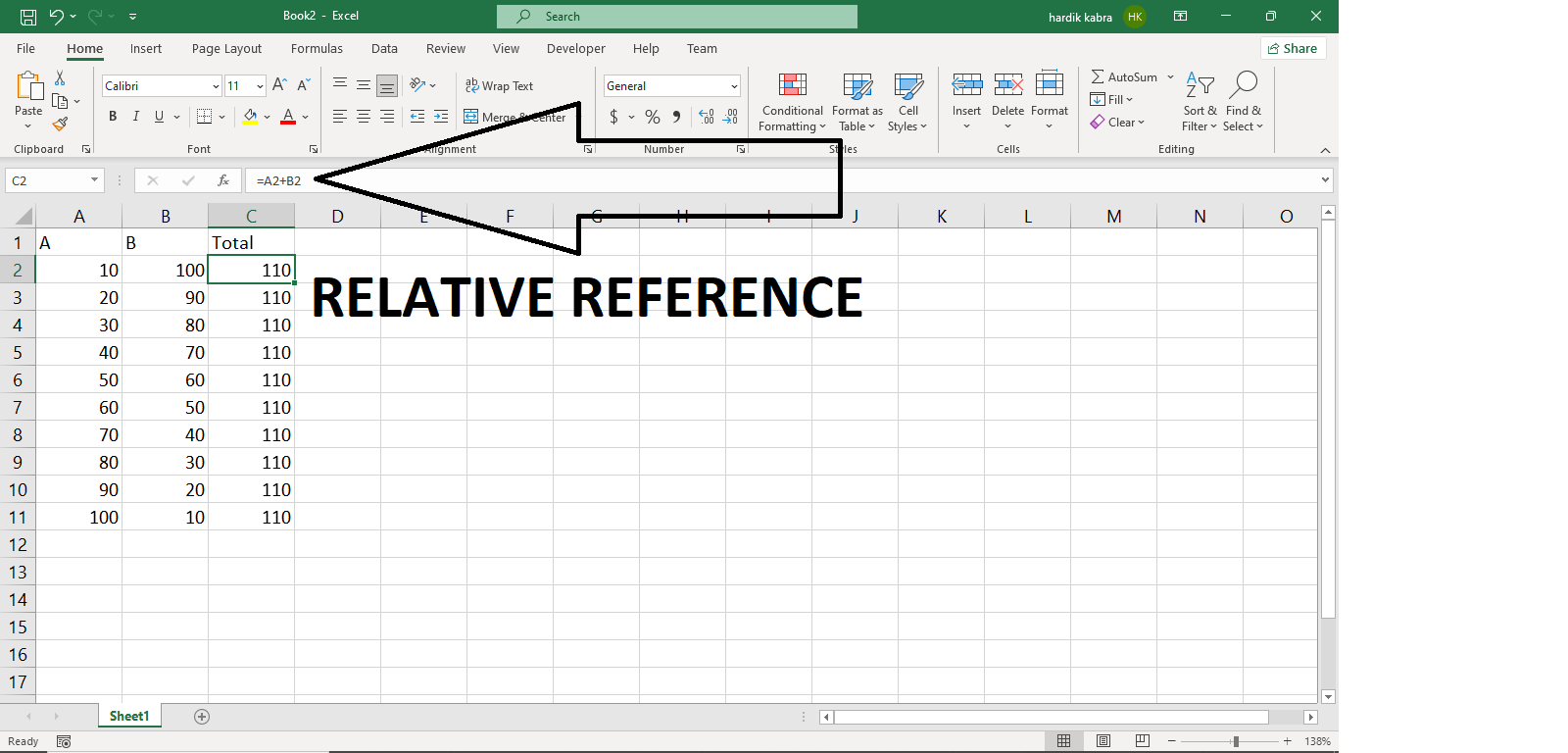
Relative Reference: Adjusts when copied to another cell (e.g.,
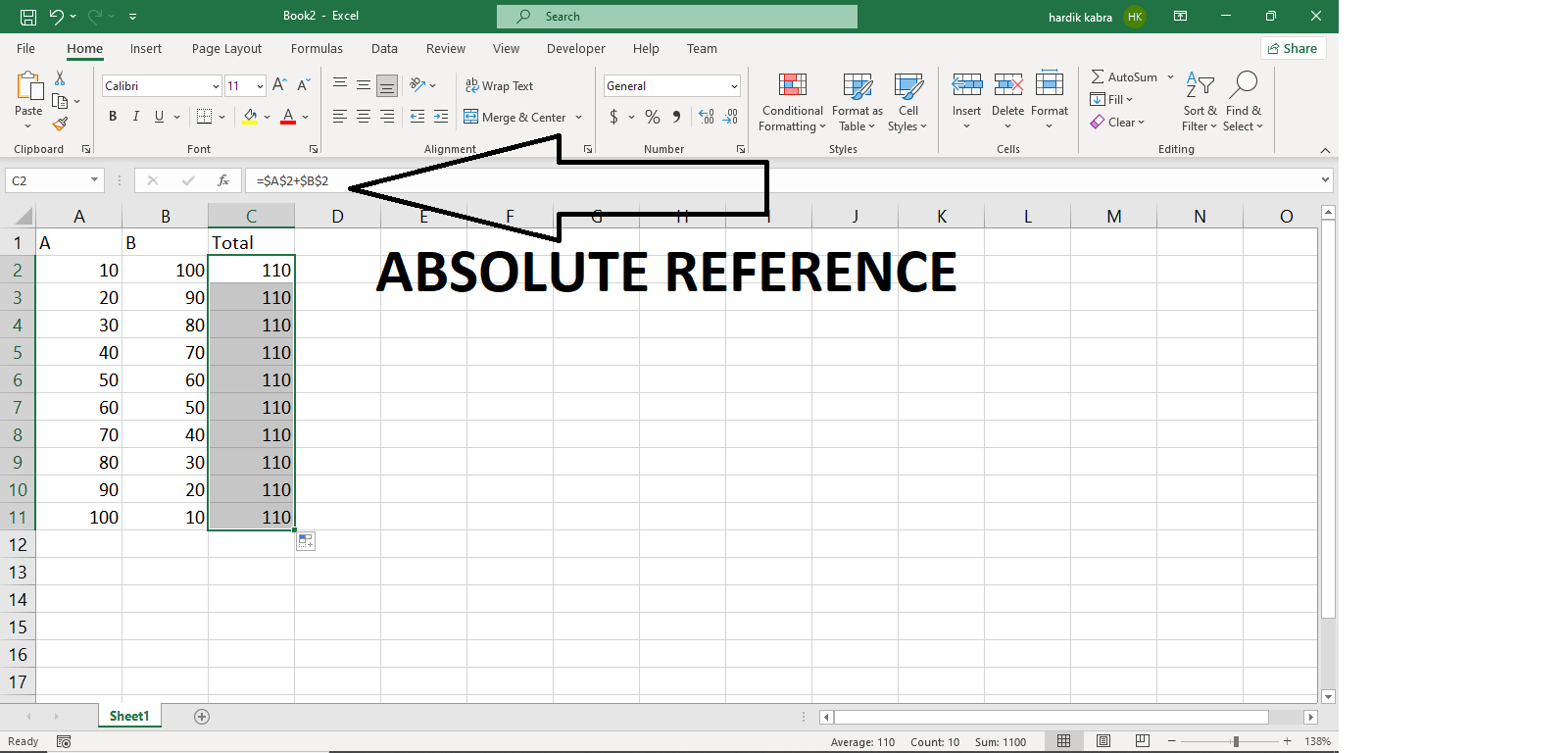
=A1+B1when copied down becomes=A2+B2).Absolute Reference: Remains fixed when copied (
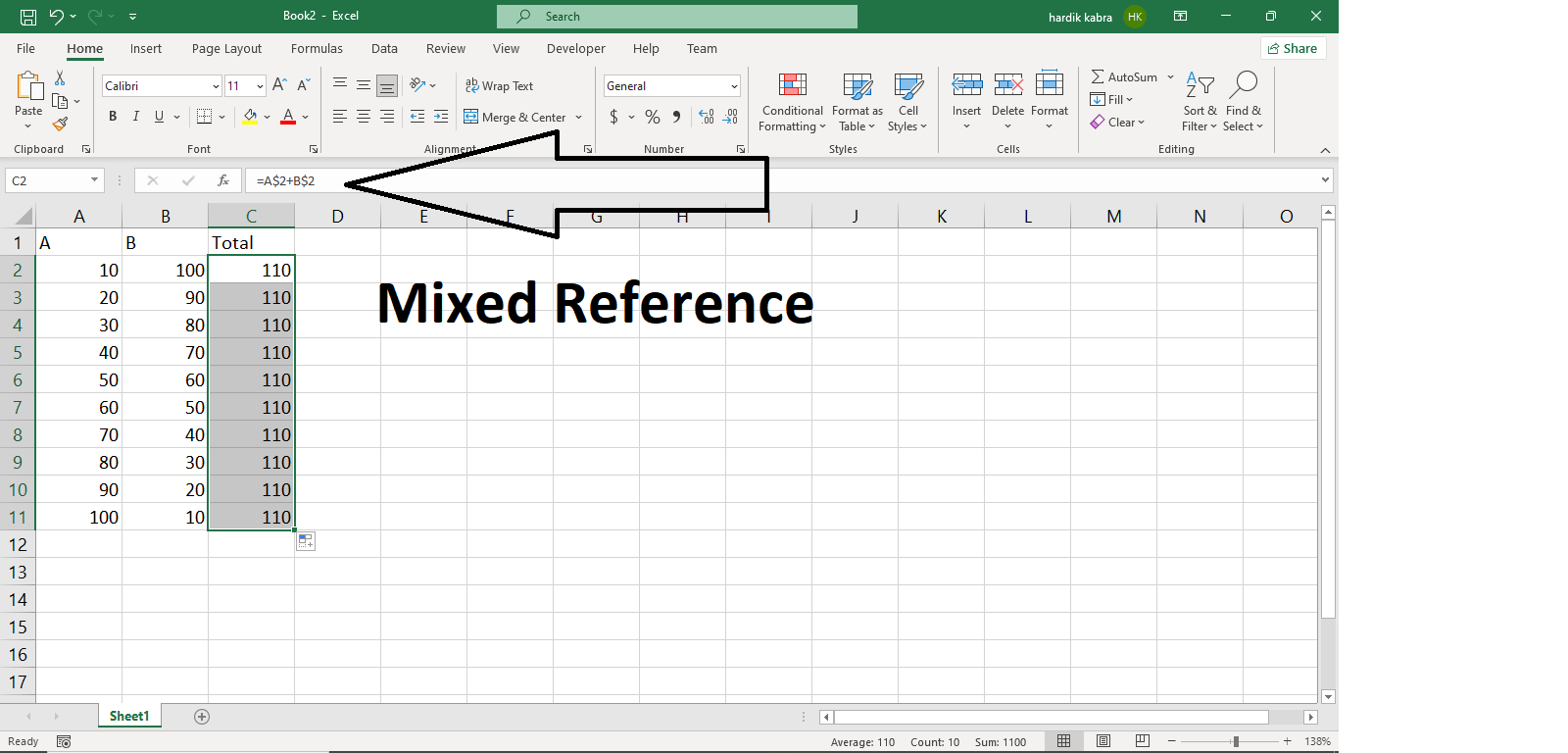
=$A$1+$B$1).Mixed Reference: Either the row or column remains fixed (
=A$1+B$1).
What is a Formula in Excel?
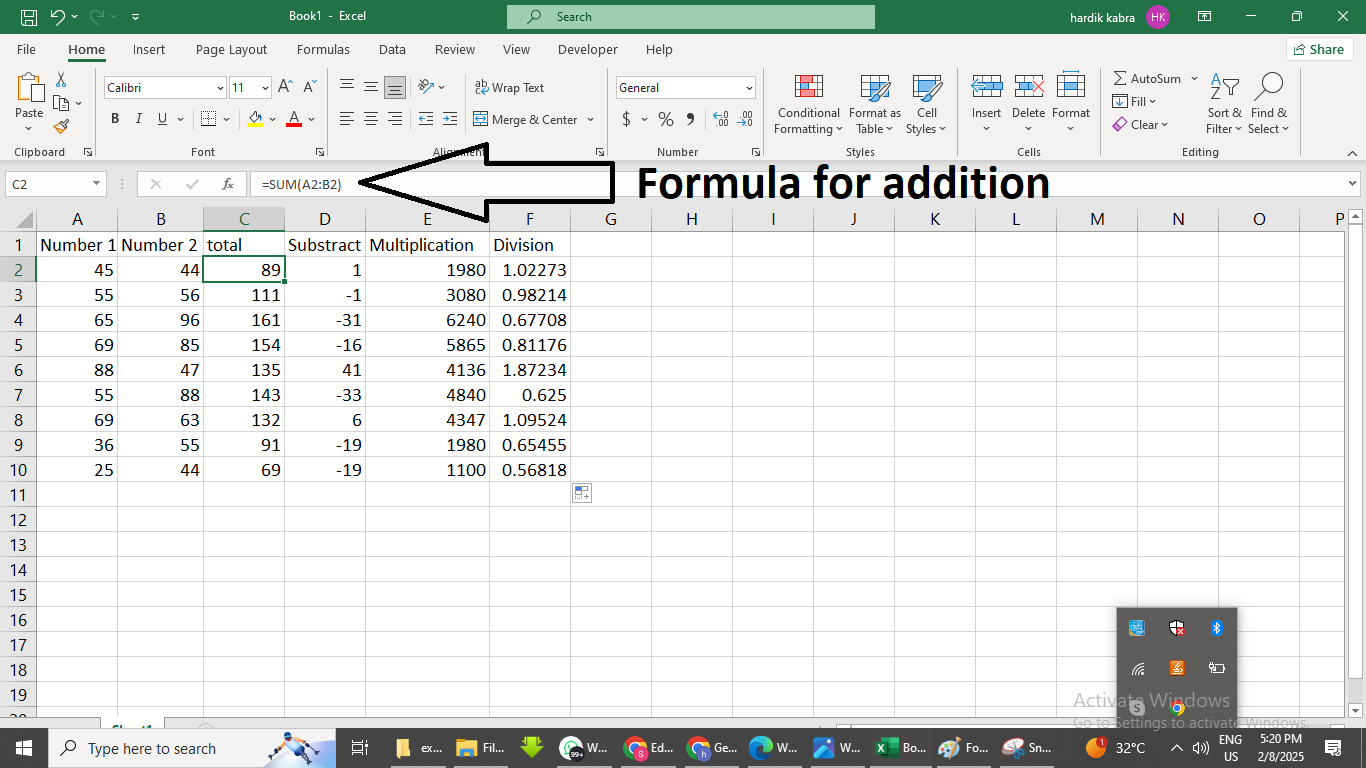
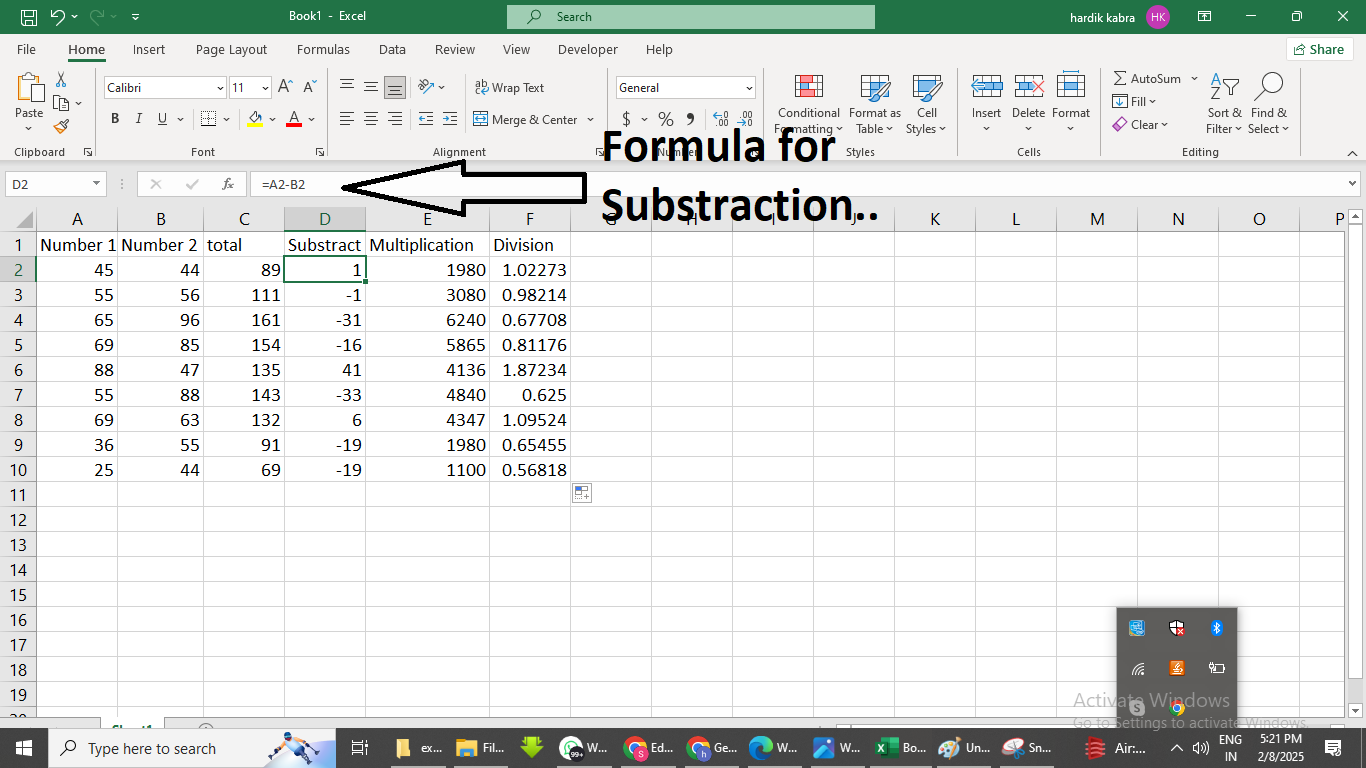
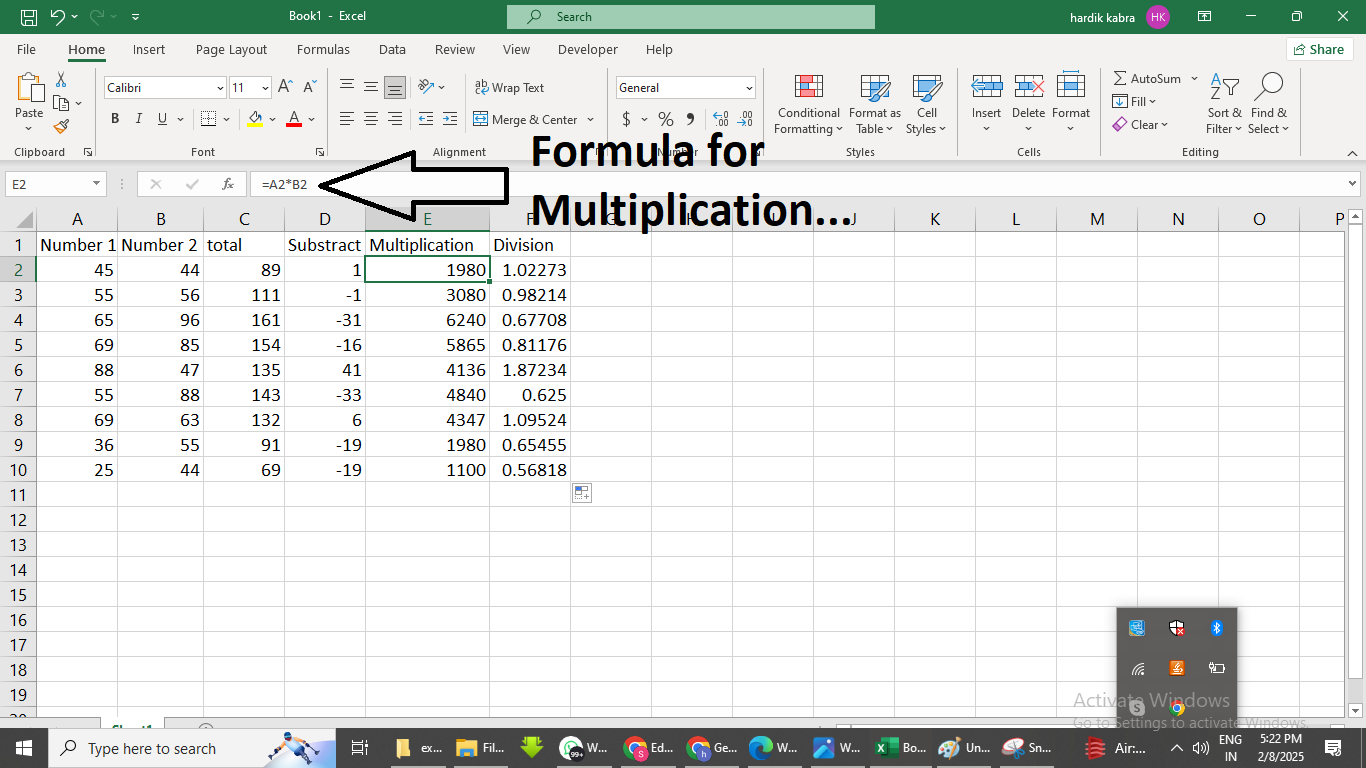
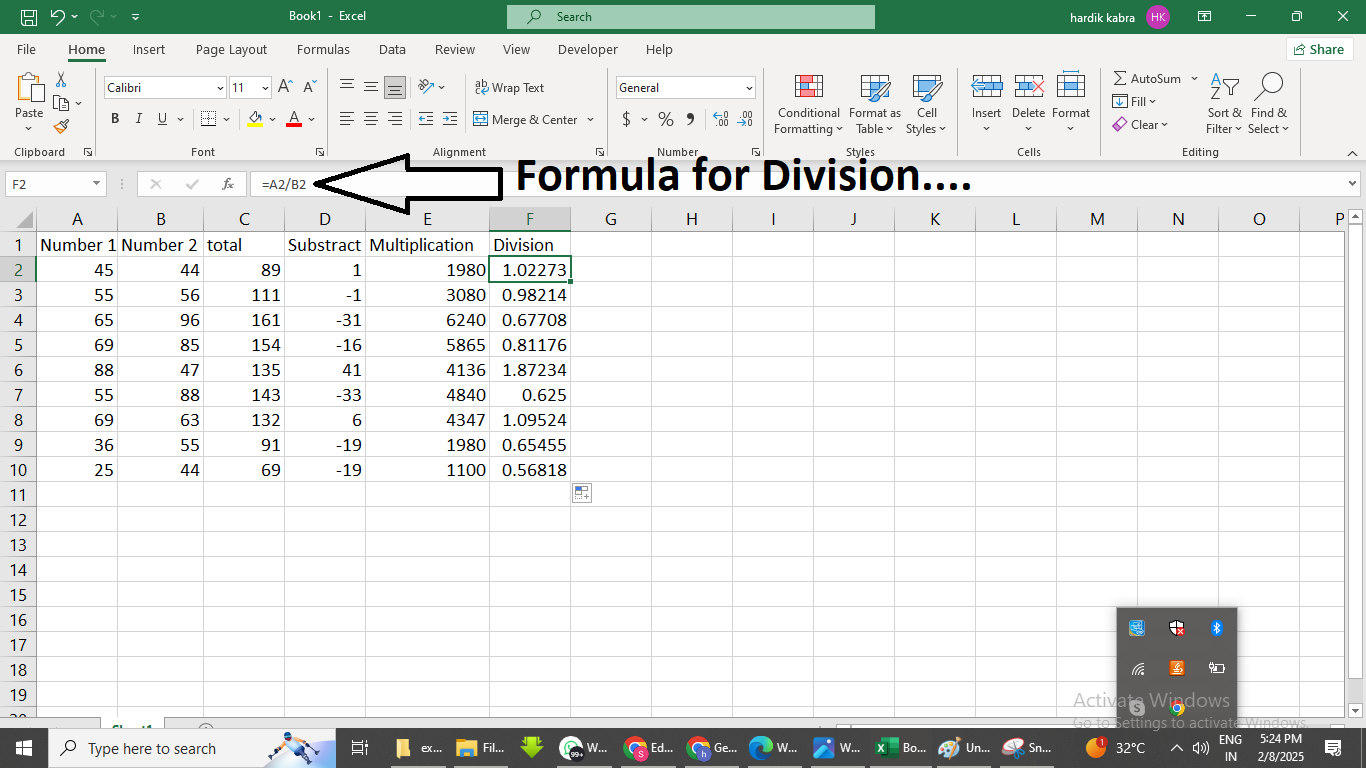
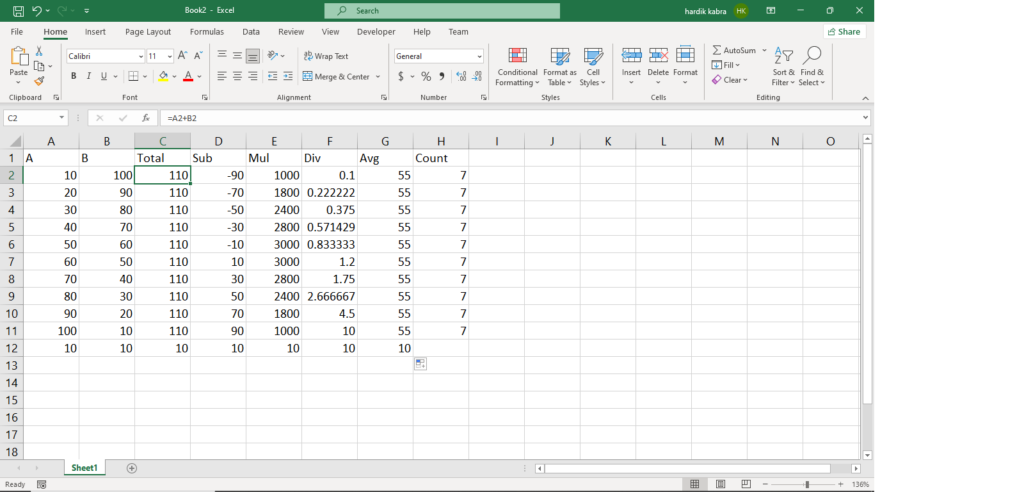
A formula in Excel is an expression used to perform calculations on data. Formulas always begin with an equal sign (=) and can include numbers, cell references, and mathematical operators.
Examples of Formulas:
=A1+B1(Adds values in A1 and B1)=A2*B2(Multiplies values in A2 and B2)=(A1+B1)/C1(Adds A1 and B1, then divides by C1)
Formulas help automate calculations and reduce manual effort.
What are Functions in Excel?
A function in Excel is a built-in formula designed to perform specific tasks quickly. Functions make calculations easier by reducing complex formulas into simple expressions.
Common Functions in Excel:
| Function | Description | Example |
|---|---|---|
| SUM() | Adds a range of values | =SUM(A1:A5) |
| AVERAGE() | Calculates the average value | =AVERAGE(A1:A5) |
| IF() | Performs conditional logic | =IF(A1>50, "Pass", "Fail") |
| COUNT() | Counts the number of cells with values | =COUNT(A1:A10) |
| LEN() | Returns the length of text in a cell | =LEN(A1) |
What is a Range in Excel?
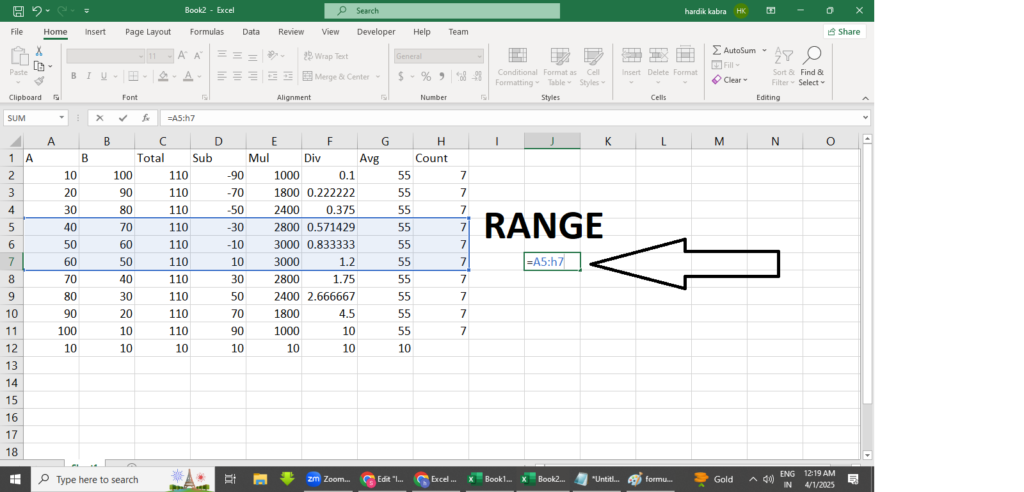
A range in Excel is a group of selected cells that can be used for calculations, formatting, or other operations. It is represented by the starting and ending cell addresses separated by a colon (:).
Examples of Ranges:
A1:A5(A vertical range from A1 to A5)B2:D6(A rectangular range from B2 to D6)A1, C1, E1(A non-contiguous range)
Ranges are widely used in formulas and functions to perform operations on multiple cells at once.
Difference Between Formula and Function in Excel.
| Aspect | Formula | Function |
|---|---|---|
| Definition | A user-defined expression for calculations. | A built-in predefined operation. |
| Complexity | Can be customized by users. | Simplifies calculations using pre-coded logic. |
| Example | =A1+B1*C1 | =SUM(A1:A5) |
| Flexibility | More flexible for unique calculations. | Faster and more efficient for standard tasks. |