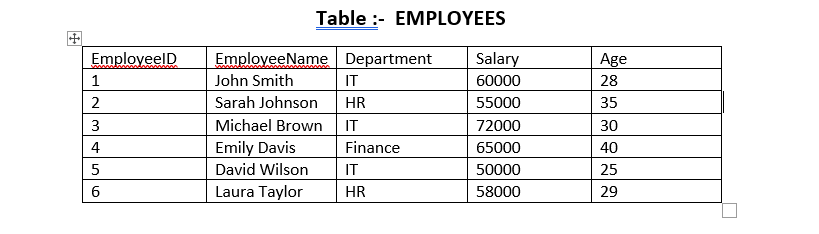
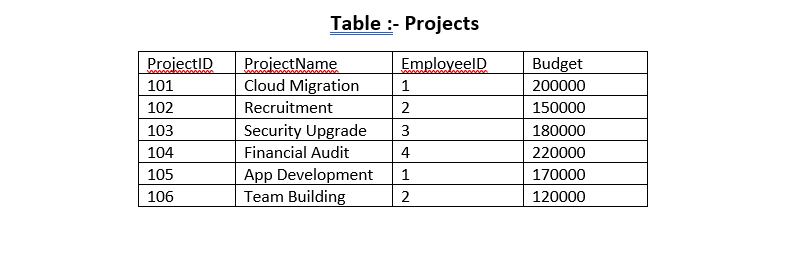
SQL Queries to create table Employees and table Projects.
SQL Queries to create table Employees and table Projects.
SQL Queries to create table Employees and table Projects.
Solution :-
Q.1 Create a database Office.
Solution :-
create database office;
Q.2 Access Database
Solution :-
use office ;
Q.3(a) Create table employees.
Solution :-
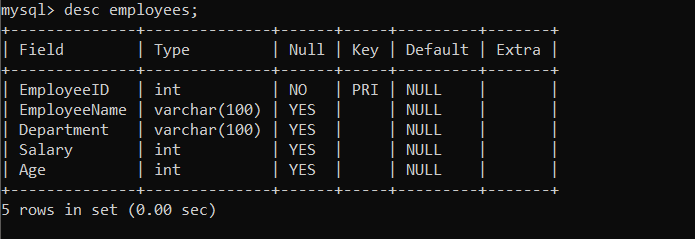
create table employees ( EmployeeID int primary key, EmployeeName varchar(100), Department varchar(100), Salary int, Age int );
Q.3(b) Create table project.
Solution :-
CREATE TABLE Projects ( ProjectID INT PRIMARY KEY, ProjectName VARCHAR(50) NOT NULL, EmployeeID INT NOT NULL, Budget DECIMAL(12, 2) NOT NULL, FOREIGN KEY (EmployeeID) REFERENCES EMPLOYEES(EmployeeID) );
Q.4(a) Insert into table employees.
Solution :-
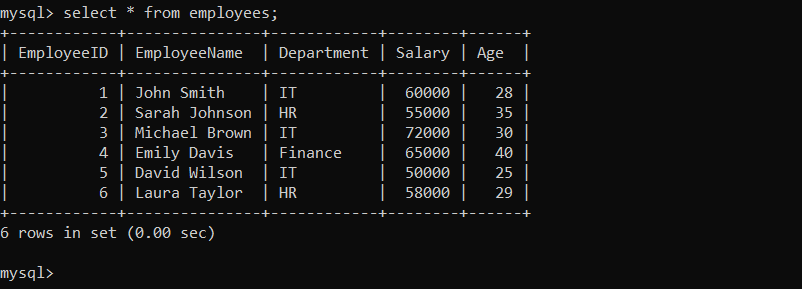
insert into employees values(1,”John Smith”,”IT”,60000,28); insert into employees values(2,”Sarah Johnson”,”HR”,55000,35); insert into employees values(3,”Michael Brown”,”IT”,72000,30); insert into employees values(4,”Emily Davis”,”Finance”,65000,40); insert into employees values(5,”David Wilson”,”IT”,50000,25); insert into employees values(6,”Laura Taylor”,”HR”,58000,29);
Q.4(b) Insert into table Projects.
Solution :-
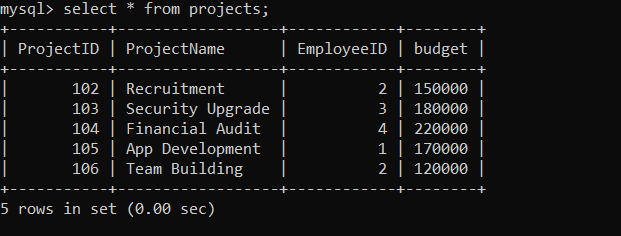
insert into projects values(101,”Cloud Migration”,1,200000); insert into projects values(102,”Recruitment”,2,150000); insert into projects values(103,”Security Upgrade”,3,180000); insert into projects values(104,”Financial Audit “,4,220000); insert into projects values(105,”App Development”,1,170000); insert into projects values(106,”Team Building”,2,120000);
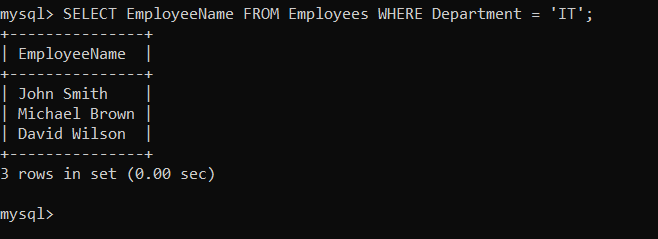
Q.5 Retrieve the names of employees working in the IT department.
Solution :-
SELECT EmployeeName FROM Employees WHERE Department =‘IT’;
Q.6 Increase the salary of employees in the HR department by 10%.
Solution :-
UPDATE Employees SET Salary = Salary * 1.10 WHERE Department = ‘HR’;
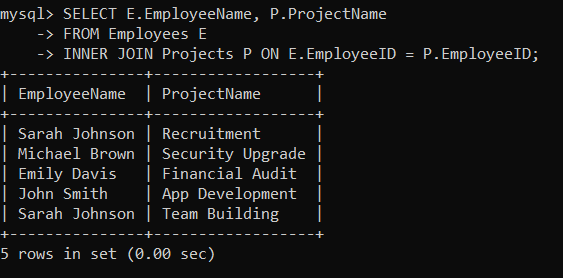
Q.7 Write a query to display the names of employees along with their project names.
Solution :-
SELECT E.EmployeeName, P.ProjectName FROM Employees E INNERJOIN Projects P ON E.EmployeeID = P.EmployeeID;
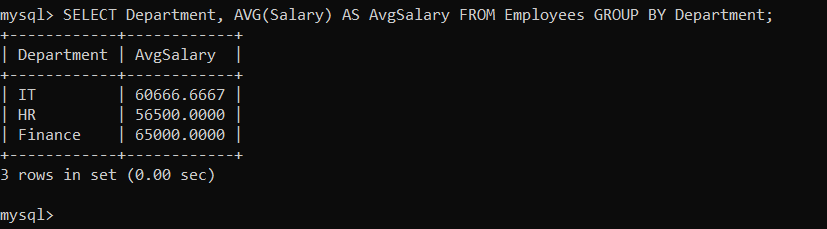
Q.8 Calculate the average salary of employees in each department.
Solution :-
SELECT Department, AVG(Salary) AS AvgSalary FROM Employees GROUPBY Department;