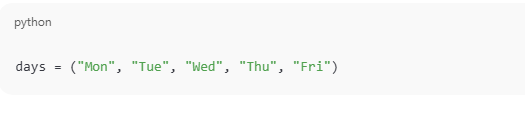
In Python, a tuple is a built-in data structure that allows storing multiple values in a single variable, similar to a list. The main difference is that a tuple is immutable, which means its elements cannot be changed after creation.
Tuples are used when data is constant and should remain unchanged, such as names of days, months, coordinates, or fixed settings.
Because tuples do not allow modification, they help prevent accidental changes, making programs more secure and dependable.
Key Characteristics of Tuples in Python (Clear & Exam-Oriented Explanation)
Tuples have several important features that make them different from other data structures like lists. These characteristics explain how tuples work and where they are best used.
(a) Ordered Collection
Tuples store elements in a fixed sequence, which means the order in which elements are written is preserved. Each element in a tuple is assigned an index number, starting from 0, which allows easy access using indexing.
Example:
(b) Immutable Nature
Tuples are immutable, meaning their contents cannot be changed after creation.
This implies:
Elements cannot be modified
New elements cannot be added
Existing elements cannot be removed
Once a tuple is created, it remains constant throughout the program, which helps protect data from accidental changes.
Example:
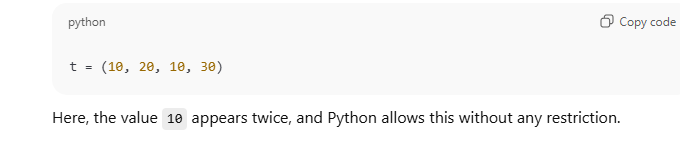
(c) Allows Duplicate Elements
Tuples allow repeated values, meaning the same element can appear more than once.
Example:
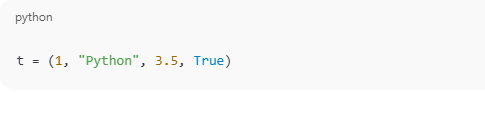
(d) Can Store Different Data Types
A single tuple can store multiple data types, such as integers, strings, floating-point numbers, and Boolean values. This makes tuples flexible for grouping related but different kinds of data.
Example:
(e) Faster and Memory Efficient
Tuples are faster than lists because they are immutable. Python can optimize memory usage and performance since tuple data cannot change. They also consume less memory, making them ideal for read-only data and fixed collections.
Creating a Tuple (Brief Explanation)
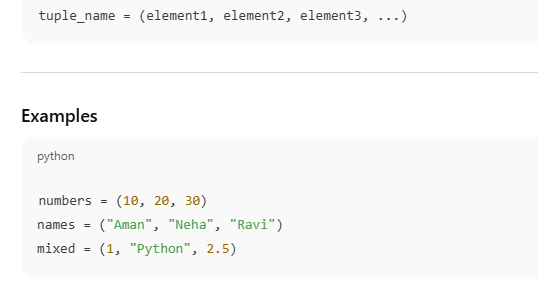
A tuple in Python is created by placing elements inside round brackets ( ), separated by commas.
Syntax
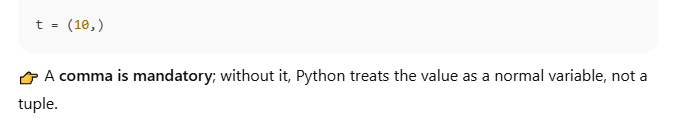
Creating a Tuple with One Element (Important)
Accessing Tuple Elements (Indexing) – Brief Explanation
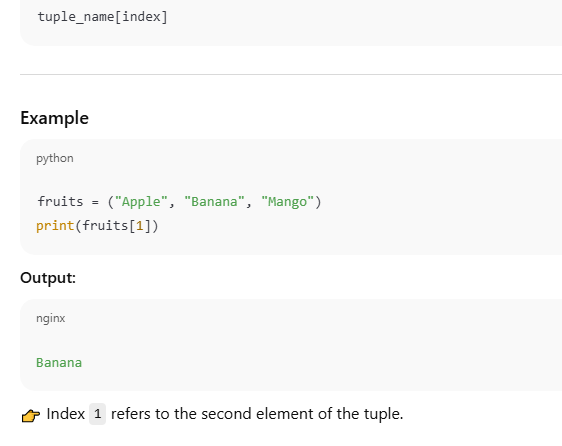
Elements of a tuple can be accessed using indexing. Since tuples are ordered, each element has a fixed index position starting from 0.
Syntax
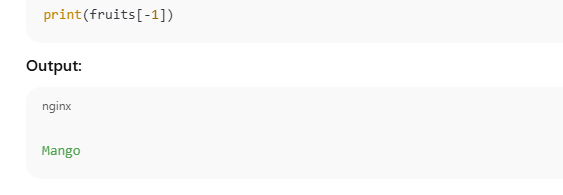
Negative Indexing
Python also supports negative indexing, where:
-1 refers to the last element
-2 refers to the second last element
Key Exam Points
Indexing starts from 0
Negative indexing accesses elements from the end
Tuples support indexing but do not allow modification
Tuple Slicing
Tuple slicing is used to extract a portion of a tuple by specifying a range of index values. It works in the same way as list slicing, but the result is also a tuple.
Syntax
start → index from where slicing begins (included)
end → index where slicing stops (excluded)
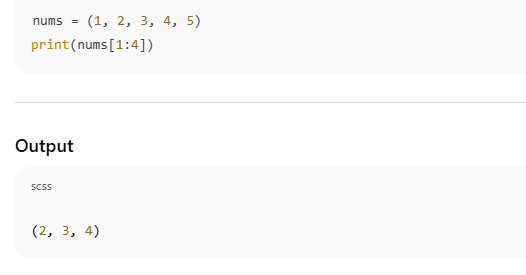
Example
Explanation
Index positions of nums:
0 → 1
1 → 2
2 → 3
3 → 4
4 → 5
Slicing starts at index 1 (value 2)
Slicing ends before index 4 (value 5 is excluded)
Elements selected: 2, 3, 4
Immutability of Tuples (Brief Explanation)
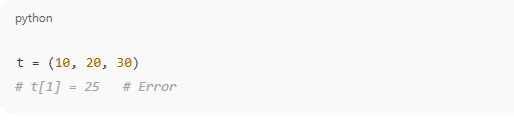
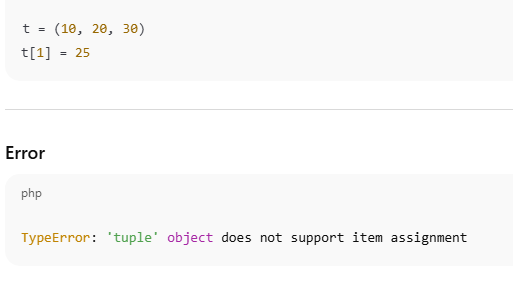
A tuple in Python is immutable, which means its elements cannot be changed after the tuple is created. Any attempt to modify, add, or remove elements from a tuple will result in an error.
Example
Explanation
The tuple t is created with fixed values.
t[1] = 25 tries to change the value at index 1.
Since tuples do not allow modification, Python raises a TypeError.
This behavior confirms that tuples are immutable.
Tuple Operations (Detailed but Brief Explanation)
Tuples support several basic operations that allow combining, repeating, and checking elements. These operations do not modify the original tuples.
(a) Concatenation
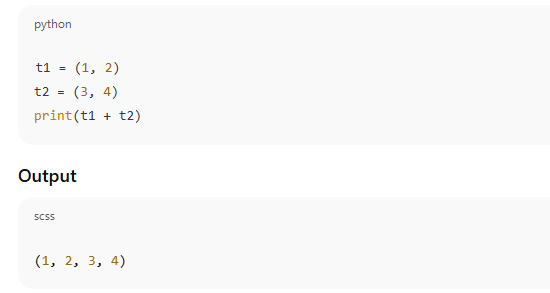
Concatenation is used to join two or more tuples into a new tuple using the + operator.
Example
Explanation
The elements of t1 and t2 are combined.
A new tuple is created.
Original tuples remain unchanged.
(b) Repetition
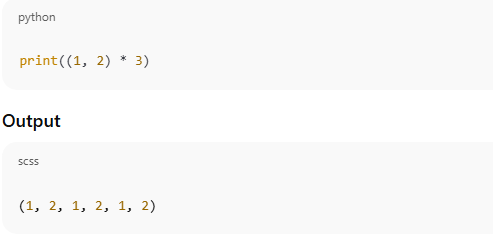
Repetition is used to repeat the elements of a tuple multiple times using the * operator.
Example
Explanation
The tuple (1, 2) is repeated 3 times.
The result is a new tuple.
(c) Membership
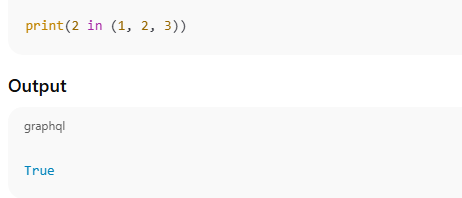
Membership checks whether an element is present in a tuple using in or not in.
Example
Explanation
Python checks if 2 exists in the tuple.
Since it is present, the result is True.
Built-in Functions Used with Tuples (Detailed Explanation)
Python provides several built-in functions that can be used with tuples to perform common operations. These functions work on the tuple as a whole and do not modify the tuple, because tuples are immutable.
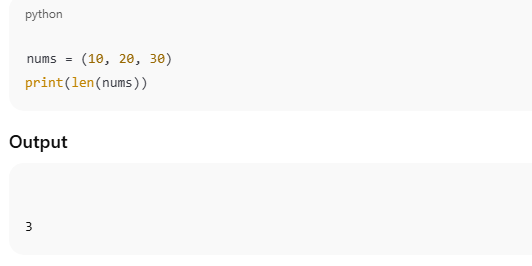
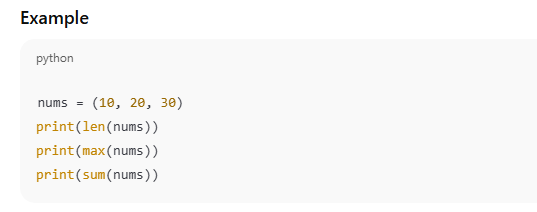
(a) len() – Number of Elements
The len() function returns the total number of elements present in a tuple.
Example
Explanation
The tuple nums contains three elements: 10, 20, and 30.
len(nums) counts all elements and returns 3.
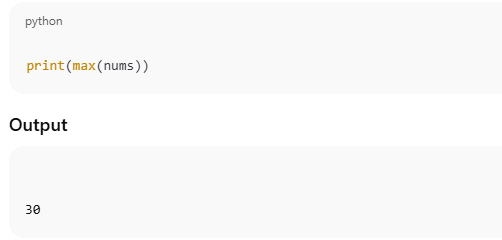
(b) max() – Largest Value
The max() function returns the largest element in the tuple.
Example
Explanation
Python compares all elements in the tuple.
The largest value among 10, 20, and 30 is 30.
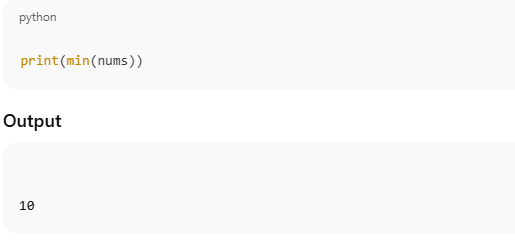
(c) min() – Smallest Value
The min() function returns the smallest element in the tuple.
Example
Explanation
Python checks each element.
The smallest value in the tuple is 10
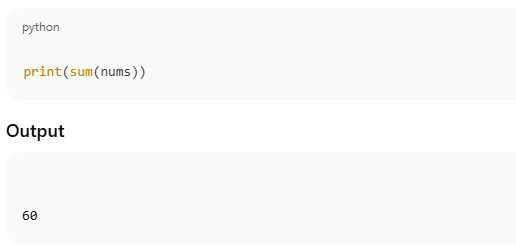
(d) sum() – Sum of Values
The sum() function returns the total sum of all numeric elements in the tuple.
Example
Explanation
Python adds all elements: 10 + 20 + 30.
The result is 60.
Common Tuple Methods (Brief but Complete Explanation)
Tuples in Python support very few methods because they are immutable, meaning their elements cannot be changed after creation. Only methods that retrieve information (not modify data) are available.
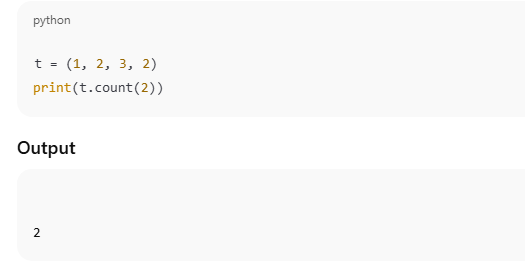
(a) count() – Count Occurrences
The count() method returns the number of times a specified value appears in the tuple.
Example
Explanation
The tuple t contains the value 2 twice.
count(2) scans the entire tuple and returns 2.
The tuple remains unchanged.
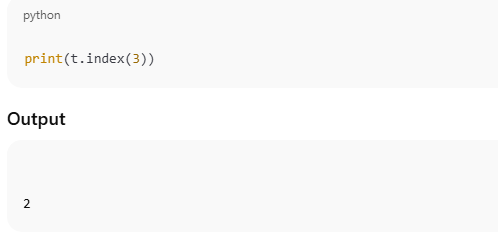
(b) index() – Find Index
The index() method returns the index position of the first occurrence of a given value.
Example
Explanation
The value 3 is found at index position 2.
Indexing starts from 0.
If the value is not present, Python raises an error.
Looping Through a Tuple (Detailed Explanation)
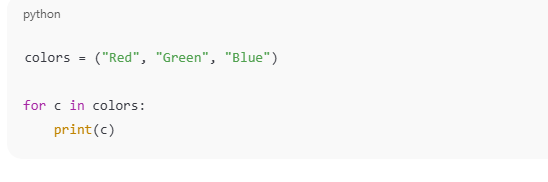
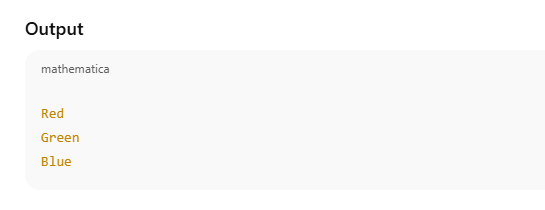
Looping through a tuple means accessing and processing each element of the tuple one by one. In Python, this is most commonly done using a for loop. Since tuples are ordered collections, their elements are accessed sequentially in the same order in which they are stored.
Example Code
Step-by-Step Explanation
Tuple Creation
A tuple named colors is created containing three string values.
The order of elements is fixed: "Red", "Green", "Blue".
2. For Loop Execution
The for loop starts and picks one element at a time from the tuple.
The variable c temporarily stores the current element during each iteration.
3. Printing Each Element
The current value of c is printed.
This process repeats until all elements of the tuple are processed.
Why Looping is Used with Tuples
To display all elements
To process fixed data
To read values without modifying them
Since tuples are immutable, looping is safe and ensures that the data remains unchanged.
Nested Tuples (Detailed Explanation)
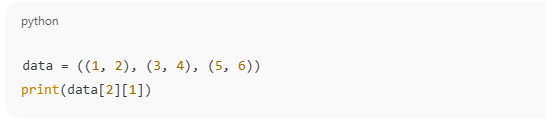
A nested tuple is a tuple that contains one or more tuples as its elements. In other words, when a tuple is placed inside another tuple, it is called a nested tuple. Nested tuples are commonly used to represent structured data, such as tables, coordinates, or grouped values.
Example Code
Step-by-Step Explanation
Creation of Nested Tuple
data is a tuple containing three inner tuples.
Each inner tuple represents a pair of values.
data[0] = (1, 2)
data[1] = (3, 4)
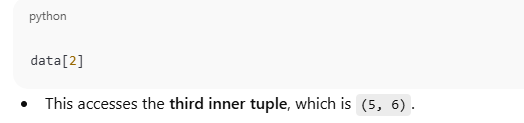
data[2] = (5, 6)
2. Accessing an Inner Tuple
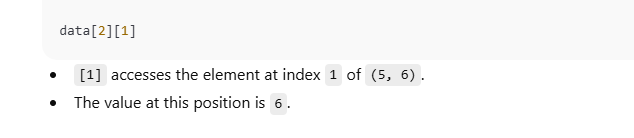
3. Accessing an Element Inside the Inner Tuple
Important Points for Exams
Nested tuples store tuples inside tuples
Elements are accessed using multiple index values
Indexing starts from 0
Nested tuples are useful for fixed multi-dimensional data
List
Tuple
Mutable
Immutable
Uses [ ]
Uses ( )
Slower
Faster
More memory
Less memory
Real-Life Use of Tuples (Brief Explanation)
Tuples are commonly used in real-life situations where data should remain fixed and must not be modified.
Days of the week: The names of days do not change.
Fixed coordinates: Latitude and longitude values remain constant.
Database records: Records that should not be altered accidentally.
Constant configuration values: Settings that must stay unchanged.
Example:
Advantages of Tuple (Brief Explanation)
Tuples offer several benefits due to their immutable nature:
Data safety: Prevents accidental modification.
Faster execution: More efficient than lists.
Used as dictionary keys: Tuples can be keys because they are immutable.
Ideal for fixed data: Best for constant or read-only values.
Conclusion (Brief Explanation)
A tuple in Python is used to store ordered and fixed data securely. Its immutability ensures reliability by preventing changes during program execution. Tuples support operations like indexing, slicing, and looping while restricting modification. Due to their speed and memory efficiency, tuples are widely used in academic studies, competitive programming, and real-world applications.